

#
Preset Station – Pallet Station
#
Description
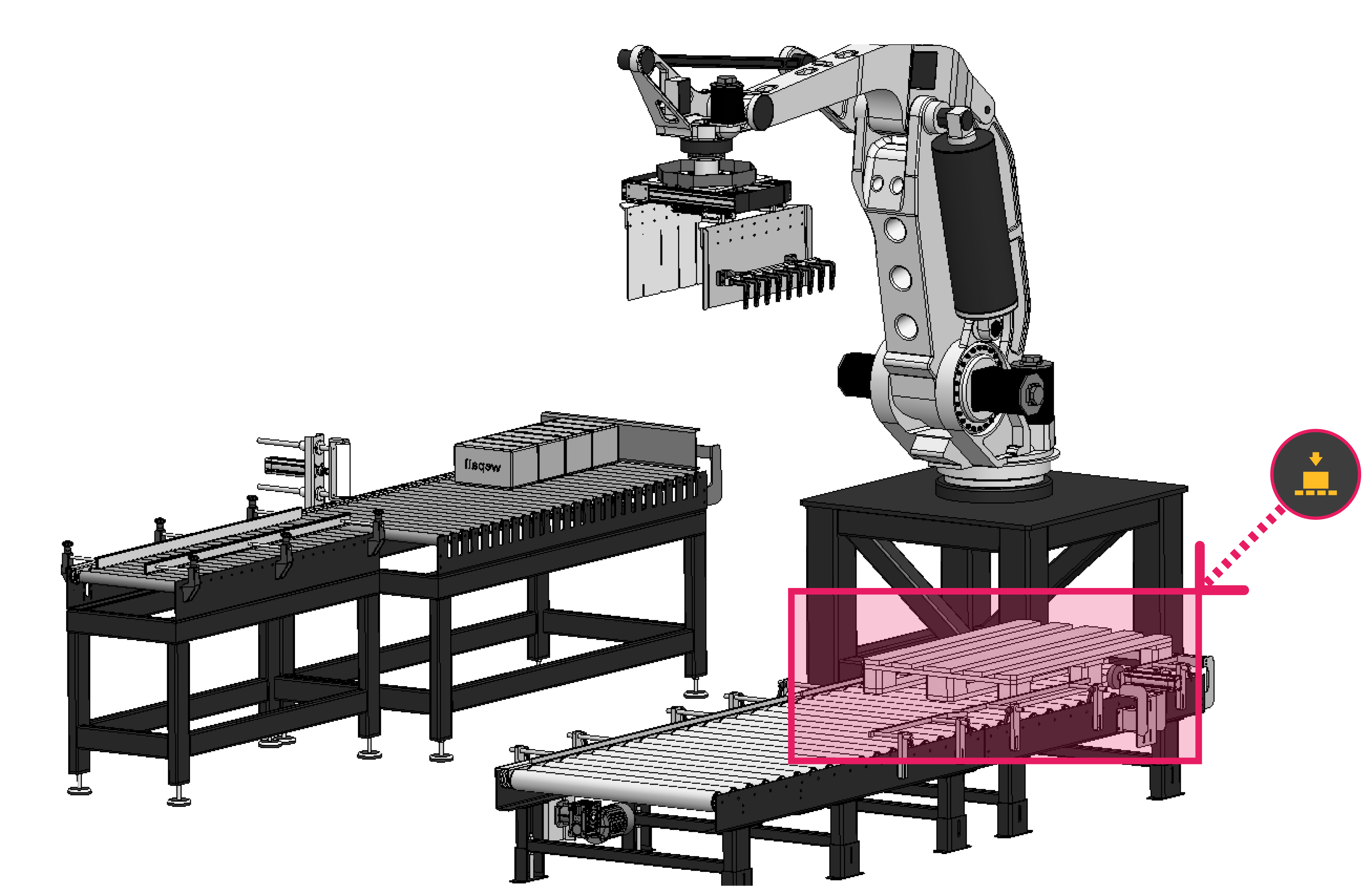
Corresponds to the palletizing station where the pallet is placed and products are deposited.
#
Variables
#
Name
User-defined node name.
#
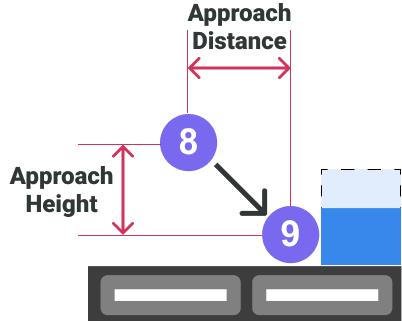
Approach Distance
Distance between points 8 and 9 in top view (vector formed by X and Y coordinates), in millimeters.
#
Approach Height
Height from which placement approach is performed, for example to avoid bending box flaps. Must always be less than product height, in millimeters.
#
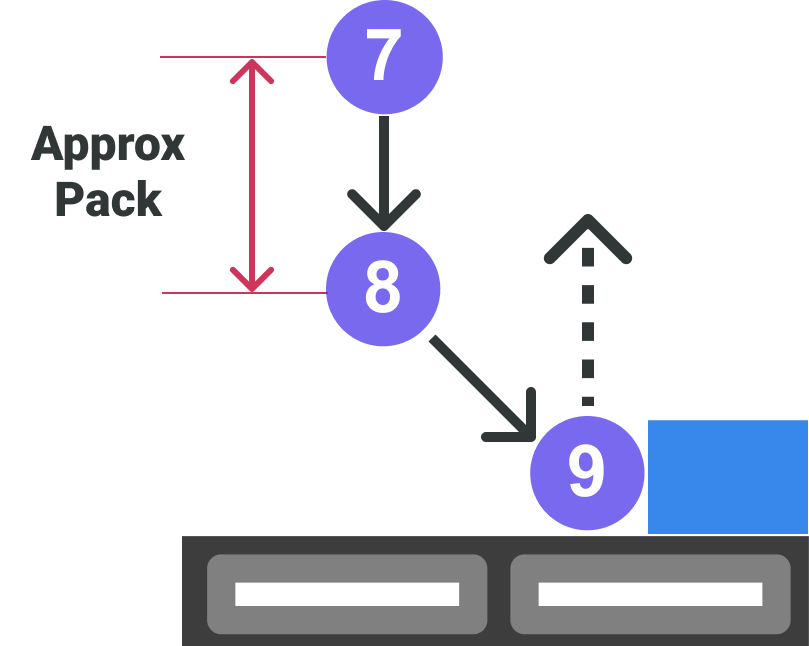
Approx Pack
Height from the pack position toward pose 7.
#
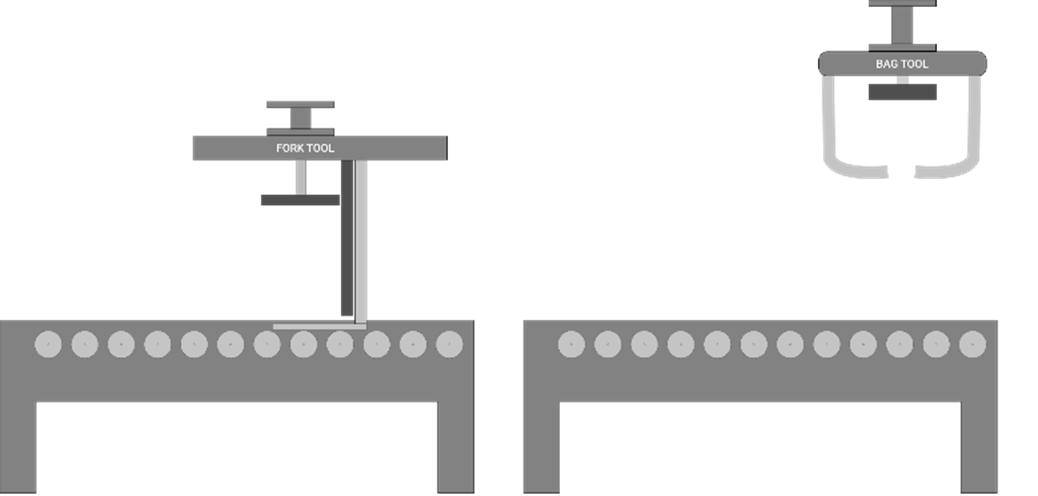
Pallet Station Z
Z coordinate (height) of the pallet. Defines the height for first-layer movements; subsequent layer heights are generated dynamically by Wepall.
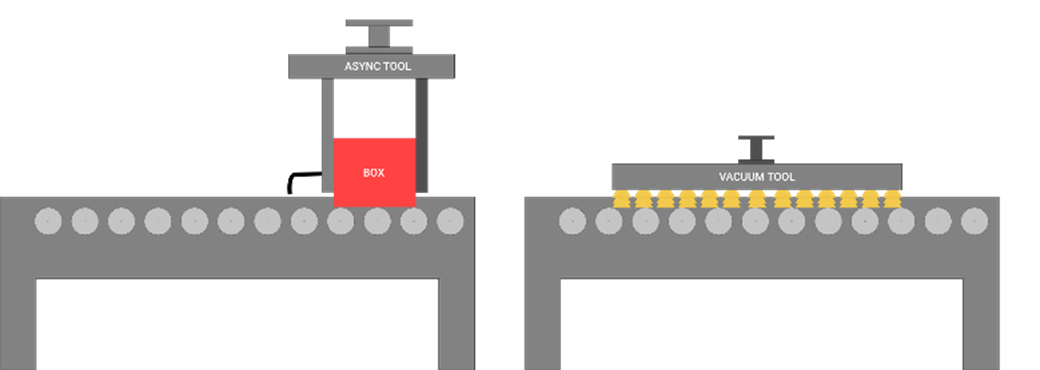
This reference height is provided by the robot Z axis when positioning the gripper over the pallet station conveyor without a pallet present.
For fork grippers, variation in placement height requires taking this value with a product picked.
For bag grippers, this value defines the base height from which bags are released.
#
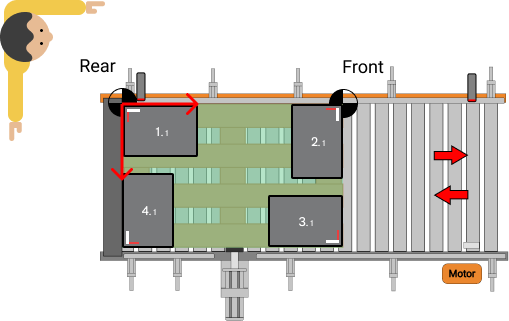
Rear X / Rear Y
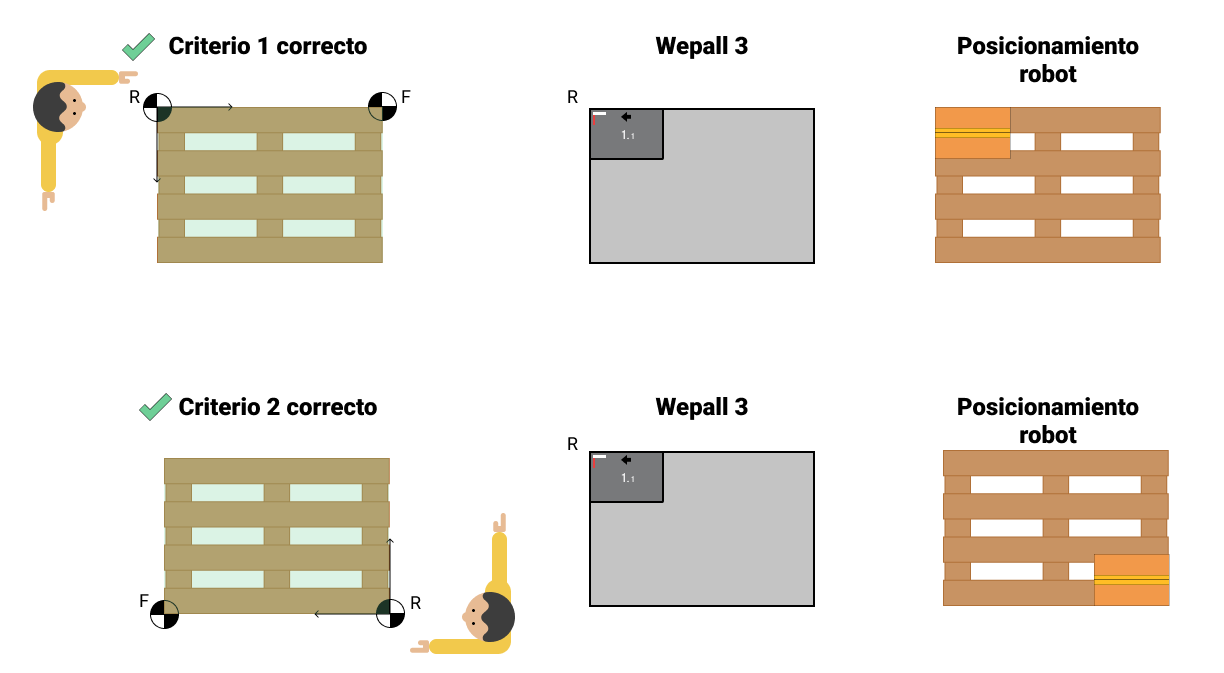
Coordinates of the origin point of the pallet coordinate system, represented in pattern design as the top-left corner, in millimeters.
#
Front X / Front Y
Coordinates defining the direction of the pallet coordinate system, in millimeters.
#
Front–Rear point acquisition process
#
Definition criteria
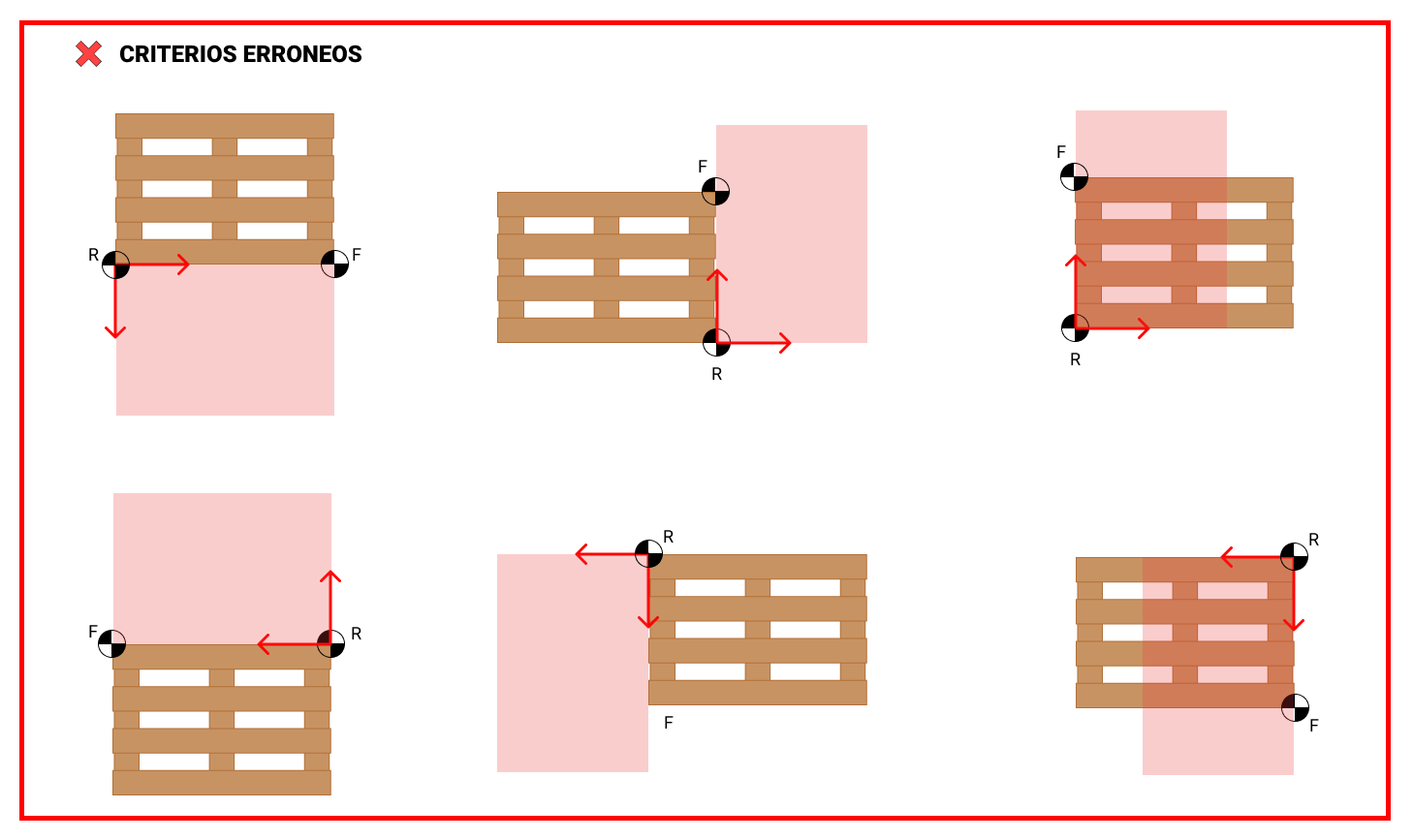
- The vector formed by Front and Rear must lie along one of the pallet’s long sides.
- Align the left arm with the pallet long side where Rear and Front points will be located.
- Rear corresponds to the closest corner; Front to the farthest.
Incorrect criteria selection will cause placement errors.
#
Point acquisition
- Equip the robot flange with a reference system (laser pointer, plumb bob, etc.).
- Align the reference system with the flange center, keeping it parallel to the floor.
- Move the robot manually in world coordinates without altering reference frames.
- When positioned over the point (Rear/Front), read X and Y coordinates and enter them into the software.
- Repeat for the remaining point.
#
Configuration verification
- Create a calibration pattern with 4 boxes at pallet corners, aligned with pallet sides.
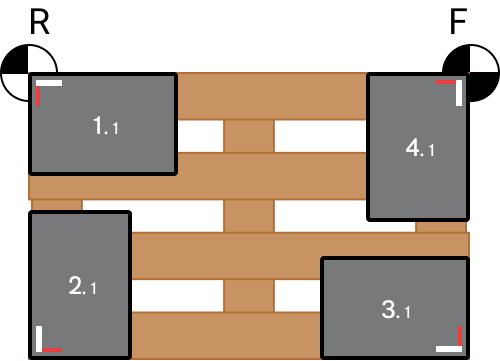
For more information, see the Pattern editing manual.
- Load the generated code and verify correct placement of all four boxes.
#
Lifter column variables in Pallet Station
Once the lifter column is enabled in the Robot Preset, these fields appear in the Pallet Station Preset.
#
Lift Z
Lifter column position associated with the Pallet Station Z value, in millimeters. Only for collaborative robots.
Lift Z differs from values used in Pick Station and Interlayer Station presets.