
#
Preset Station – Pick Station
#
Description
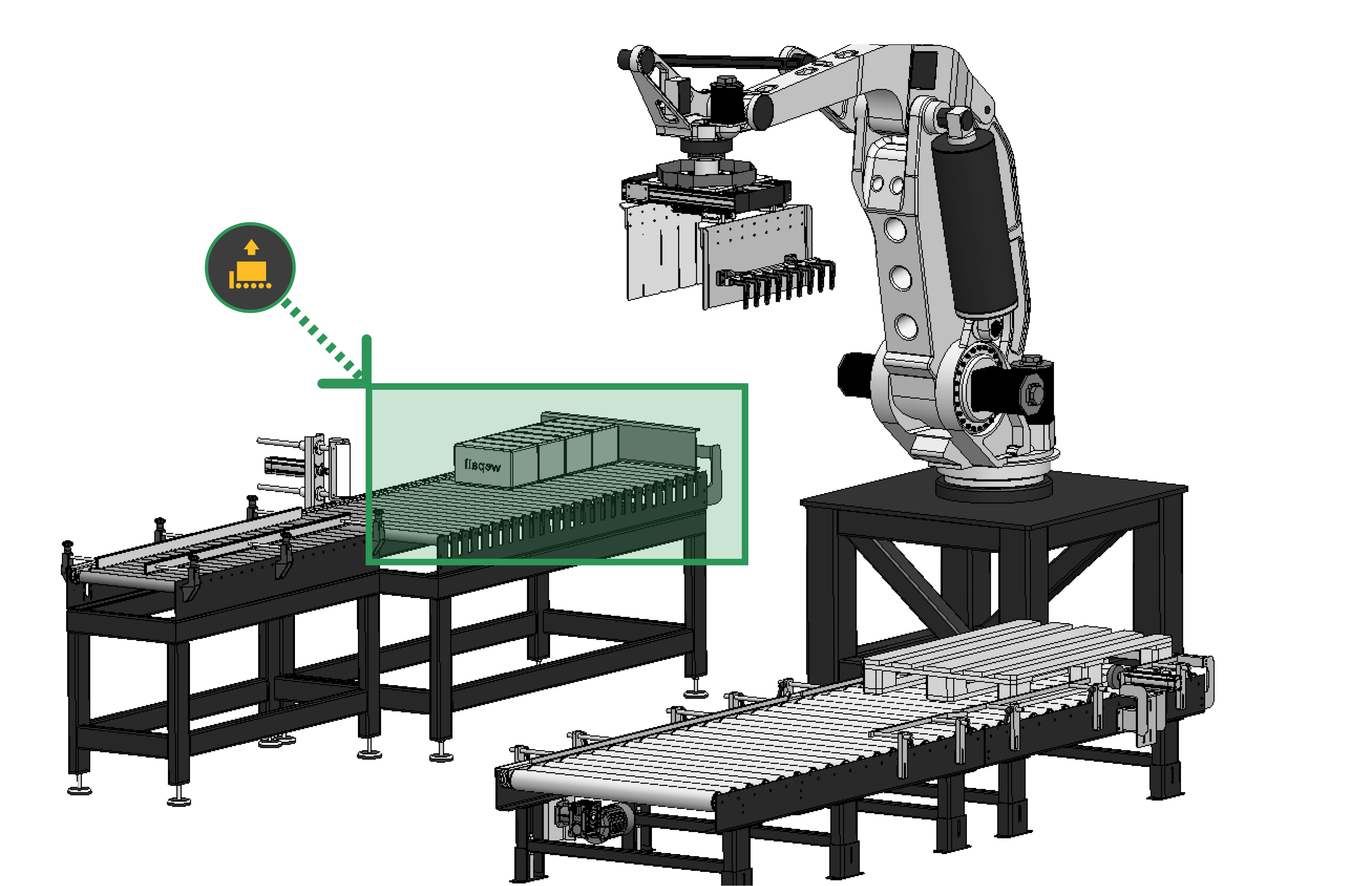
Corresponds to the product pickup station, also known as pickup, where the product to be palletized is taken.
#
Variable assignment
Preset variables depend on the selected End Effector Tool type.
#
Variables
#
Name
User-defined name to identify the pickup.
#
[X,Y,Z,R]
Coordinates of the point where the robot picks up the product under normal conditions.
For more information, refer to the coordinate acquisition section of this manual.
Errors when entering these values may cause collisions. 💥
#
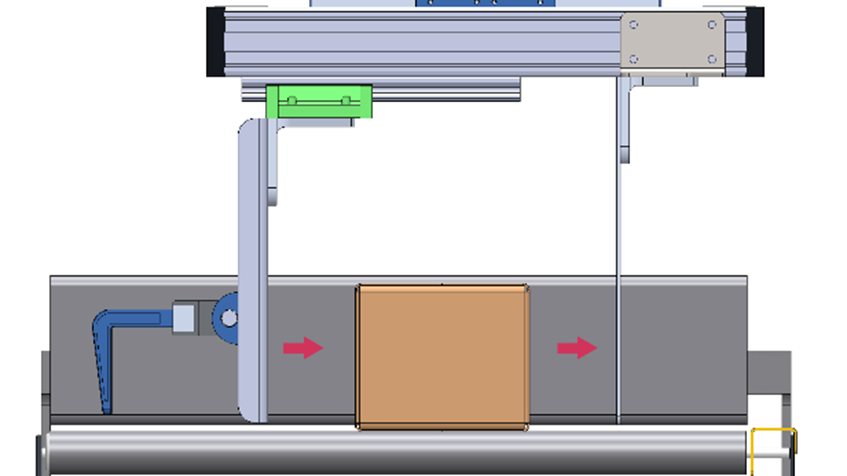
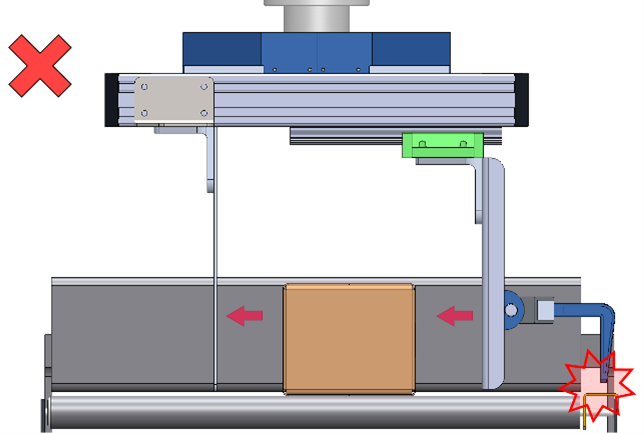
Inverted [X,Y,Z,R]
Coordinates of the inverted pickup point. In this position, the fixed finger must be on the opposite side of the normal pick position.
Can be used with all grippers except fork tools.
For more information, refer to the coordinate acquisition section of this manual.
|  |
|  |
|
Errors when entering these values may cause collisions. 💥
#
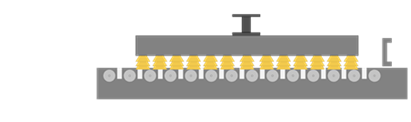
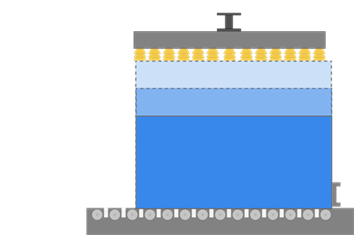
Vacuum grippers
For vacuum grippers, both pick height and inverted pick height are dynamic, depending on product height.
Pick Z and inverted pick Z values correspond to suction cups touching the pickup.
#
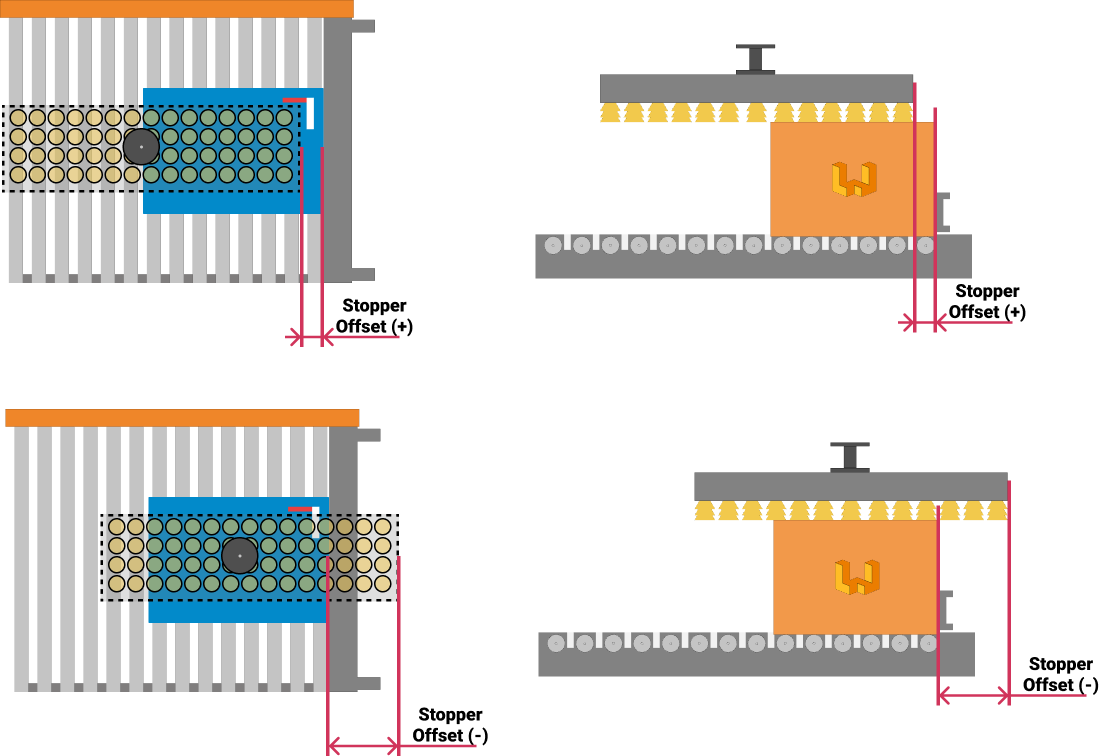
Stopper Offset
Distance between the gripper and the stopper at the pick point, in millimeters. This value adjusts the pallet placement reference.
For more information about the pick point, see the station node section.
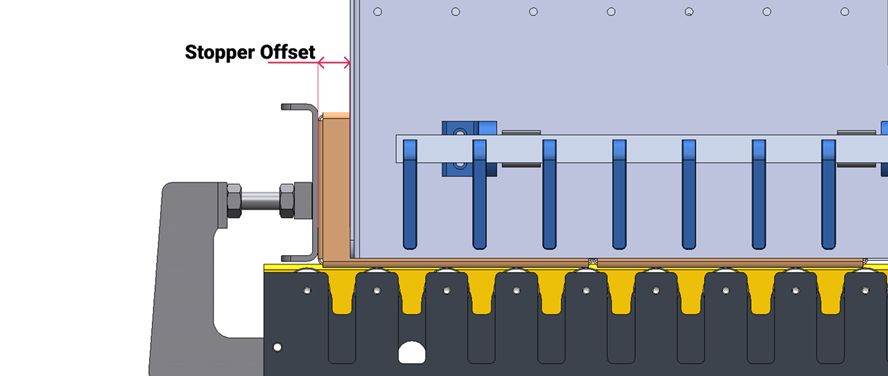
Incorrect adjustment may cause collisions with already palletized products. 💥
Changing this value does not modify the pick coordinates.
#
Inverted Stopper Offset
Distance between the gripper and the stopper at the inverted pick point, in millimeters. This value adjusts the pallet placement reference.
For more information about the pick point, see the station node section.
#
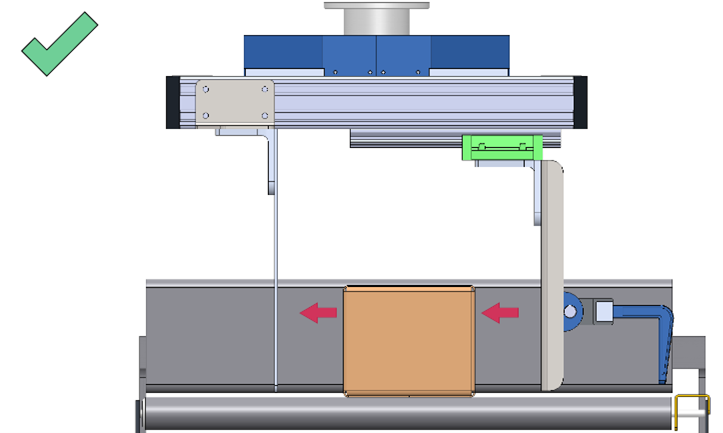
Reference side
Indicates the side where the fixed finger of the gripper (physical or virtual) is located at the pick position. From the product entry perspective, it can be on the right or left side.
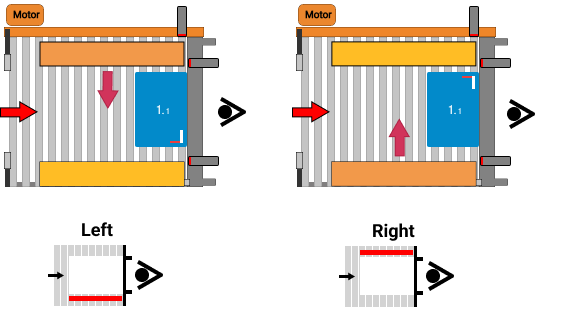
Incorrect assignment leads to incorrect placement on the pallet.
#
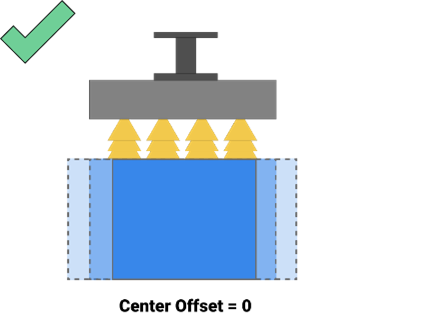
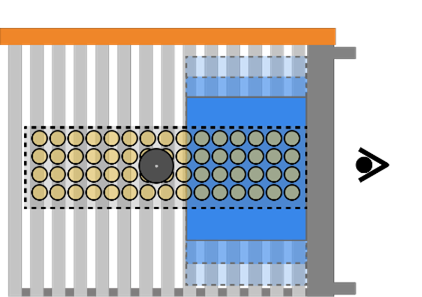
Center Offset
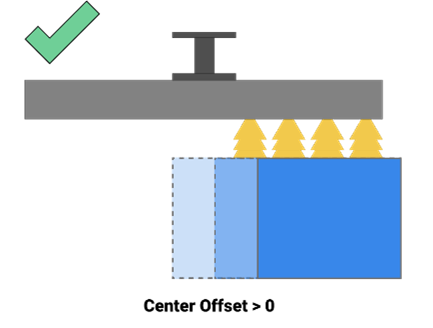
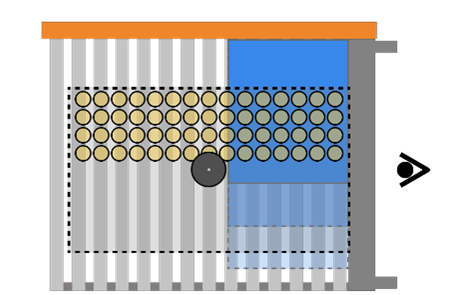
Distance between the robot flange center of a vacuum gripper and a fixed reference, in millimeters, at the pick coordinates.
A value of 0 indicates that the product is always centered relative to the robot flange.
|  |
|  |
|
If the suction system is offset relative to the flange center, a mechanical element must be used to align products and provide a fixed reference.
|  |
|  |
|
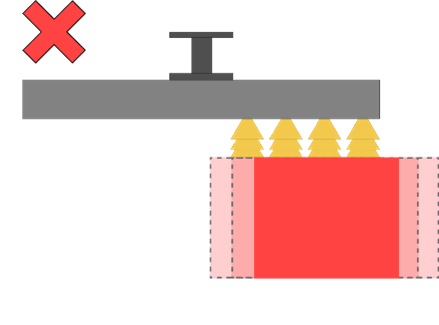
If the flange is offset and the product has no fixed reference, this situation is not supported by Wepall.
#
Inverted Center Offset
Same as Center Offset, but applied to inverted pick coordinates.
Follow the guidelines described in the center offset section above.
#
Wait [X,Y,Z,R]
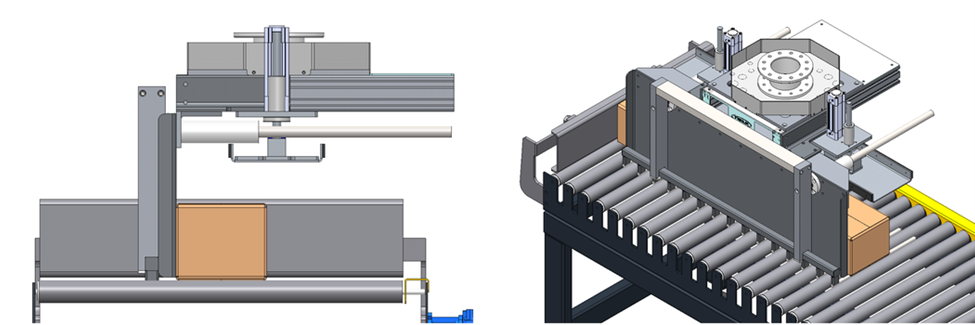
Robot waiting point used with fork grippers until product-ready confirmation is received.
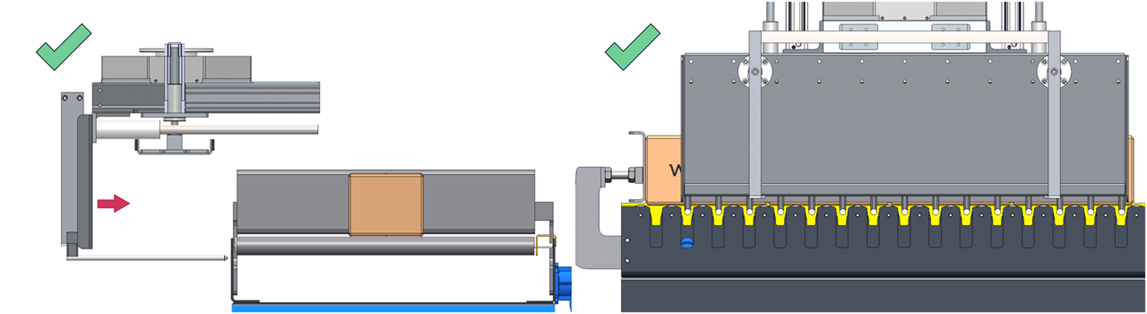
For more information, refer to the coordinate acquisition section of this manual.
Proper gripper alignment is critical to avoid collisions when approaching the pickup laterally.
#
Approx Pick
Height along the Z axis to raise the gripper after picking the product, in millimeters.
This height must be greater than the product height.
#
Overpick Offset
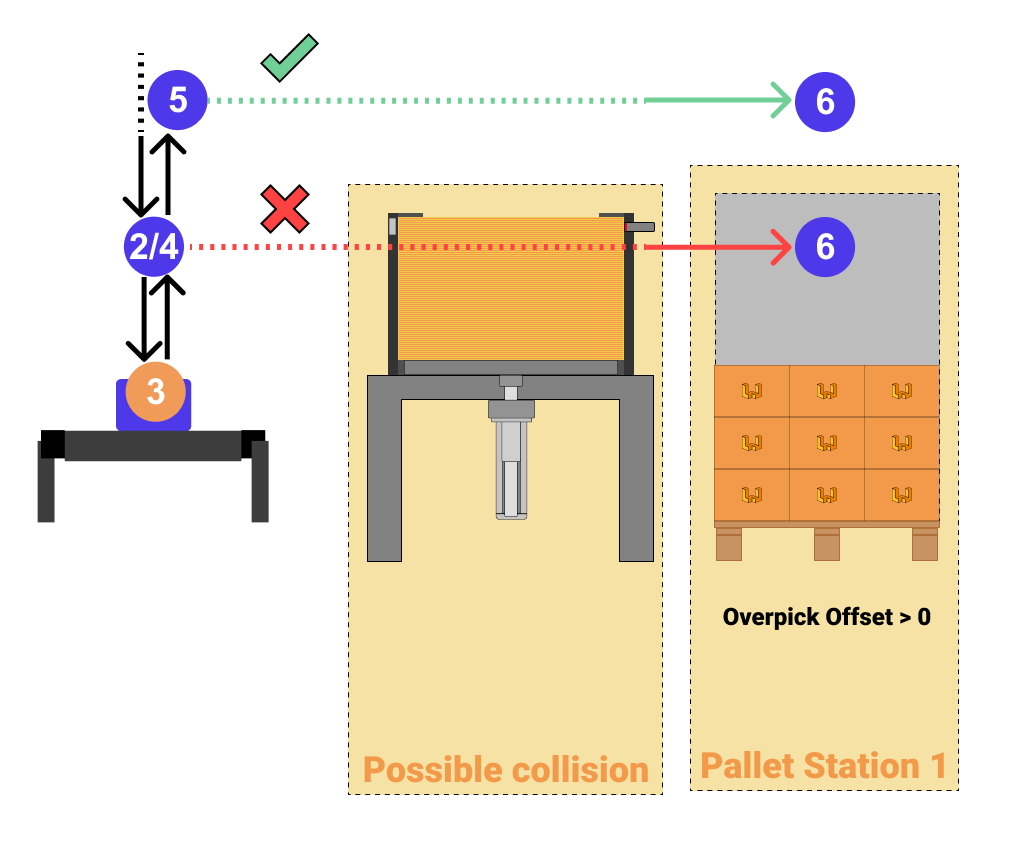
Defines the minimum separation between points 3 and 4. As point 4 height is dynamic, it will adapt if layer height exceeds this value; otherwise, the defined minimum is used.
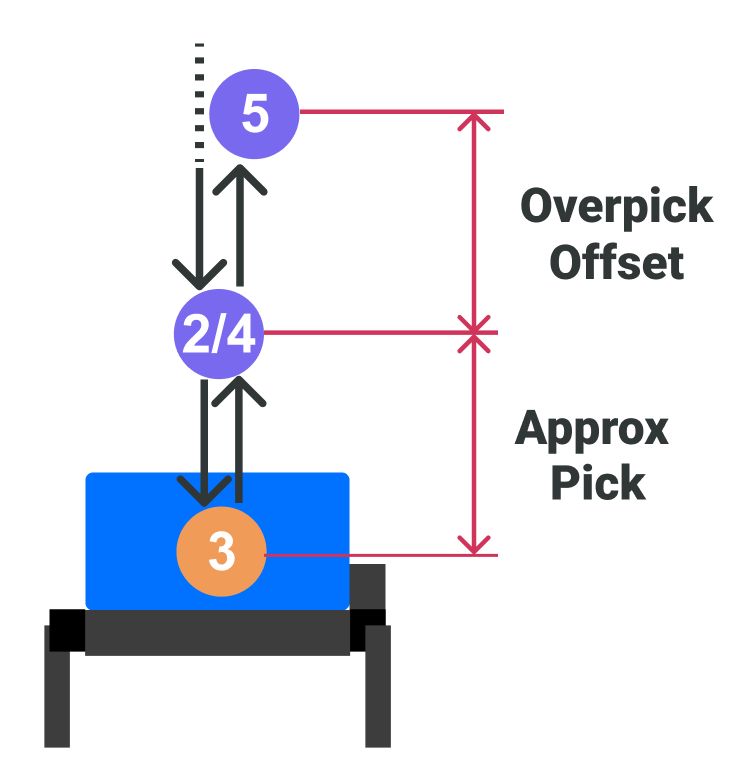
A value of 0 causes point 5 minimum height to coincide with point 4.
This value is used to avoid obstacles along the path to the palletizing station.
Common obstacles include mechanical elements, photoelectric sensors, and other palletizing stations.
#
Lifter column variables in Pick Station
Once the lifter column is enabled in the Robot Preset, these fields appear in the Pick Station Preset.
#
Lift Z
Lifter column position associated with Pick coordinates, in millimeters. Only for collaborative robots.
Lift Z value differs from the one used in Pallet Station and Interlayer Station presets.
#
Inverted Lift Z
Lifter column position associated with Inverted Pick coordinates, in millimeters. Only for collaborative robots.