

#
Code editor
#
Preliminary considerations
The code generated in this section is in the manufacturer's programming language and will be transferred to the robot.
Any modification made in this section may cause it to malfunction once it is executed. Refrain from making any changes unless you have the necessary knowledge and always under your own responsibility.
#
User interface
#
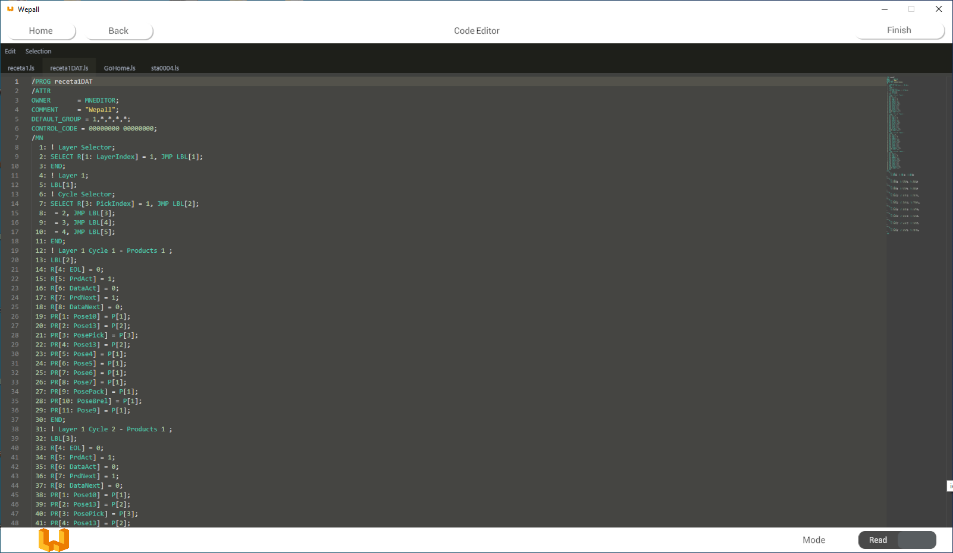
Tabs
The tabs shown will correspond to the program that will be loaded into the robot, in the selected manufacturer's source code format.
#
Read Mode/Write Mode selector
Selector to enable edit mode, allowing the direct modification of the source code to be loaded to the robot. Editing the source code may cause the robot to malfunction.
warning
Any modification of the source code will be carried out under the programmer's responsibility.
#
Finish button
Button to save the generated files.
#
Checking the generated code
Verify that the code has been generated correctly.
#
Manual editing of the generated code
If you want to edit the source code directly, click on the selector indicated as Read Mode, changing it to Edit Mode.
warning
Any modification to the source code is under the responsibility of the operator involved.