

#
Recipes view
#
User interface
This view contains a navigable list of the recipes in the project, as well as the project settings menu.
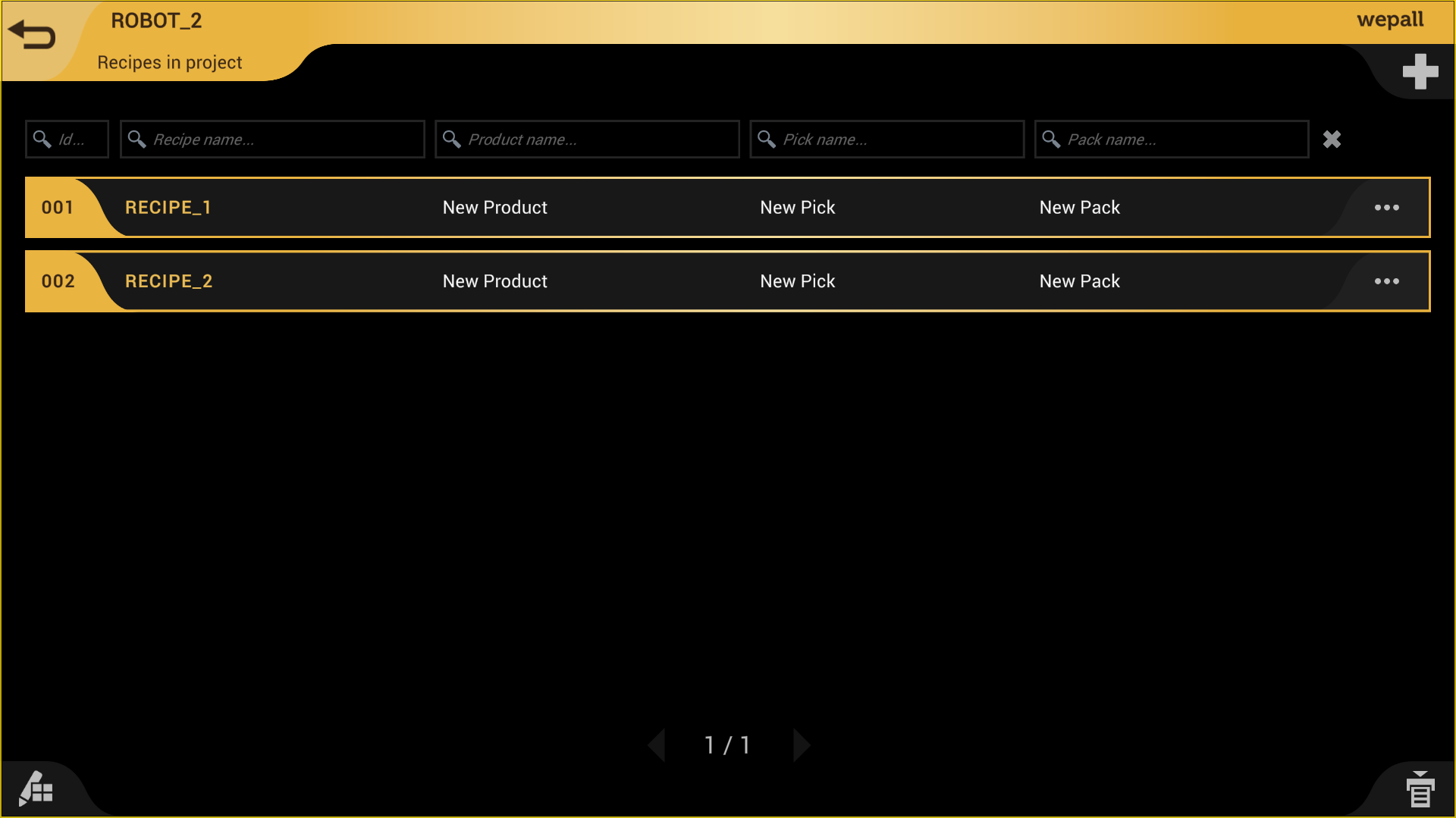
Each recipe has a number (ID) that corresponds to the recipe number that the PLC will transmit for selection.
It also displays the names of the product, pick, and pack presets used by the recipe, making them easier to identify.
To the right of each list item, three dots appear which, when clicked, display different buttons to perform actions on that recipe.

#
Add a new recipe
Robot required
When creating a new project and accessing a recipe for the first time, you must select the robot brand and model from those available in our database, filtered by the current project type. For more information, consult the Wepall technical team.
Remember
When adding a new recipe, the recipe management file must be updated.
Review any changes before loading the code onto the robot.
Recipe naming requirements
To ensure maximum compatibility with most robot models on the market, each recipe name must comply with the following rules:
- Must consist of alphanumeric characters.
- Must start with a letter.
- Must not contain spaces.
- Special characters are not allowed, except “_”.
- Maximum length is 33 characters.
- Must not be a reserved word in the robot programming language (this depends on the manufacturer).
#
Delete recipe
Attention
Deleting a recipe may lead to incorrect system behavior.
Review any changes before loading the code onto the robot.
#
Duplicate an existing recipe
Attention
When duplicating a recipe, the recipe management file must be updated.
Check recipe numbering and any changes before loading the code onto the robot.
#
Rename recipe
Attention
When renaming a recipe, the recipe management file must be updated.
Check recipe numbering and any changes before loading the code onto the robot.
Recipe naming requirements
To ensure maximum compatibility with most robot models on the market, each recipe name must comply with the following rules:
- Must consist of alphanumeric characters.
- Must start with a letter.
- Must not contain spaces.
- Special characters are not allowed, except “_”.
- Maximum length is 33 characters.
- Must not be a reserved word in the robot programming language (this depends on the manufacturer).
#
Change recipe number
Attention
Changing a recipe number may lead to incorrect system behavior.
Check recipe numbering and any changes before loading the code onto the robot.
#
Generate recipe
This button triggers the creation and download of the robot code associated with the recipe.
Important
- Remember that recipes are built from presets, which may be shared across multiple recipes.
- If you generate code with presets that were accidentally modified or deleted, the generated code may cause incorrect system behavior.
- Review any changes before loading the code onto the robot.
#
Generate entire project
In some cases, you may want to generate all recipes, as this may include a set of additional files.