
#
Robot preset
#
Description
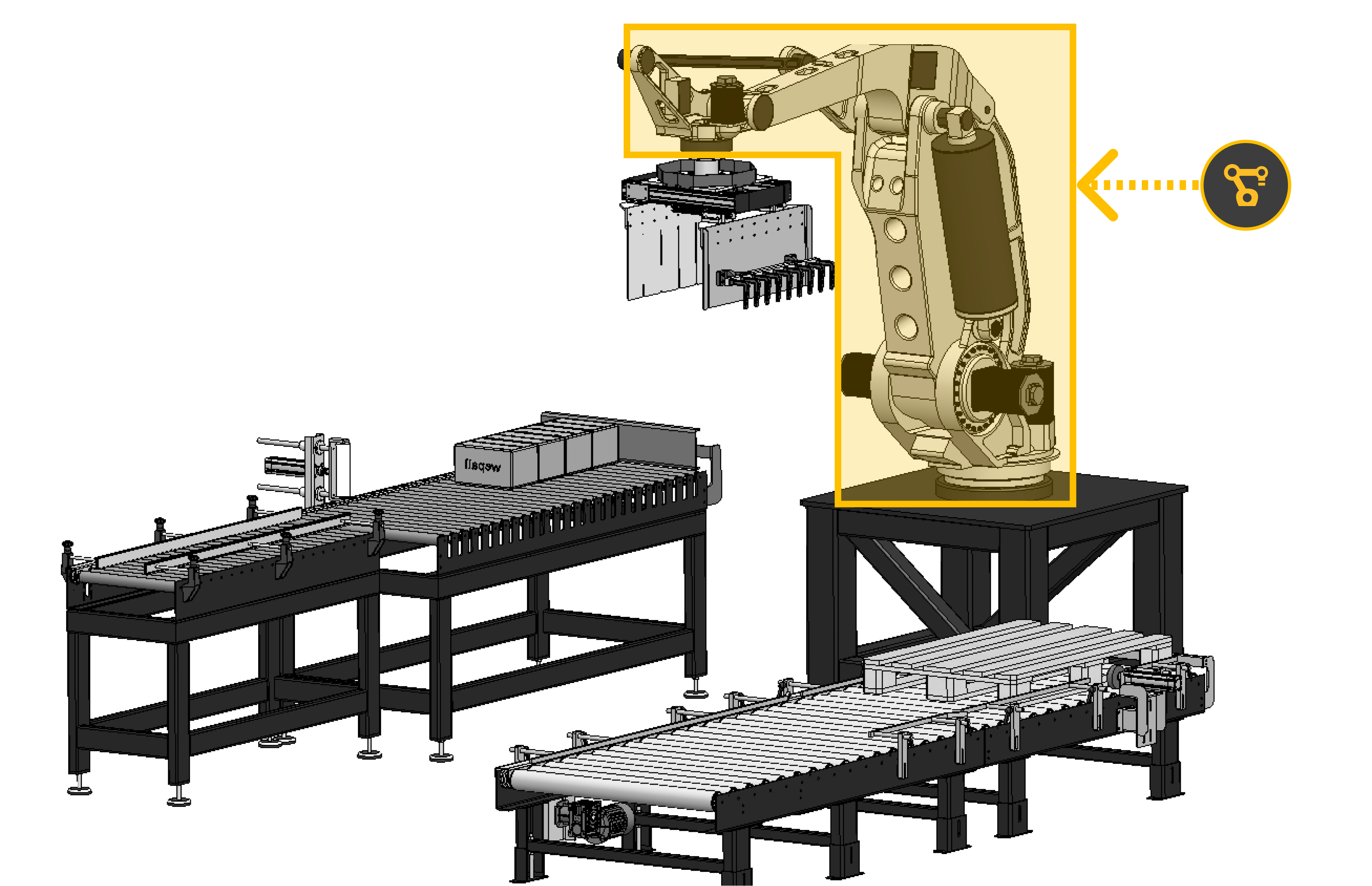
This preset references the robot brand and model linked to the project.
#
Brand and model
This preset is associated with a compatible robot brand and a specific model available in the Wepall database.
When a new project is created and a recipe is accessed for the first time, the robot brand and model are selected from those available in the Wepall database for the project type.
Once a license is assigned to a project and its status changes to paid, this option becomes fixed.
For more information, consult the Wepall technical team.
#
Changing robot brand and model
ROBOT BRAND AND MODEL CAN ONLY BE CHANGED WHILE THE PROJECT IS NOT PAID. 🚫🗑️
The change can only be made between brands and models of the same Wepall project type.
Once a license is assigned and the project status changes to paid, this option becomes fixed.
For more information, consult the Wepall technical team.
#
Variables
#
Name
User-defined name for the robot.
#
Model
Robot model to be implemented in the project.
#
Controller version
Controller version.
#
Tool signal
Checkbox to enable direct gripper control signals integrated in the robot, allowing the robot to control the gripper directly instead of the PLC.
Available only for specific brands and models.
#
Only pack points
Checkbox to generate only pack coordinates in recipe files, removing the rest of the sequence points.
Available only for specific brands and models.
#
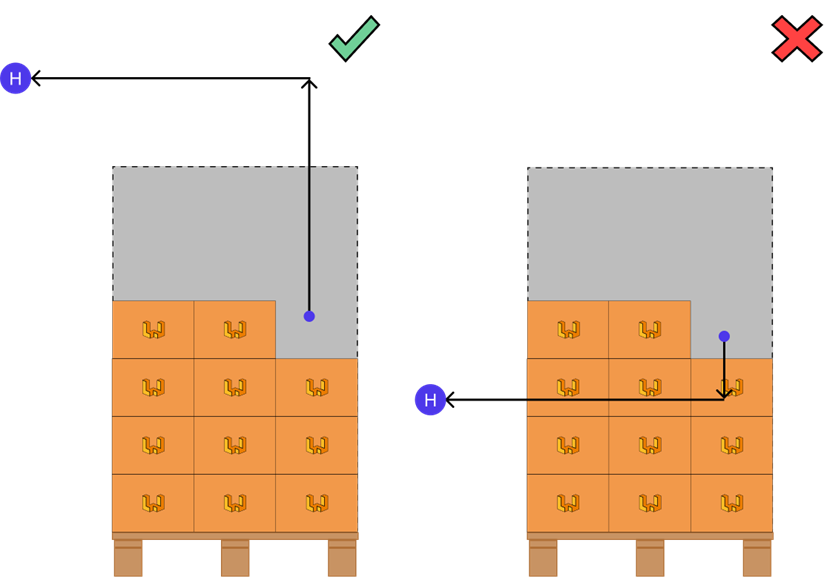
Home (X,Y,Z,R)
Coordinates of the Home position, where the robot is placed in a safe position that does not interfere with system operation.
For more information, see the coordinate acquisition section of this manual.
#
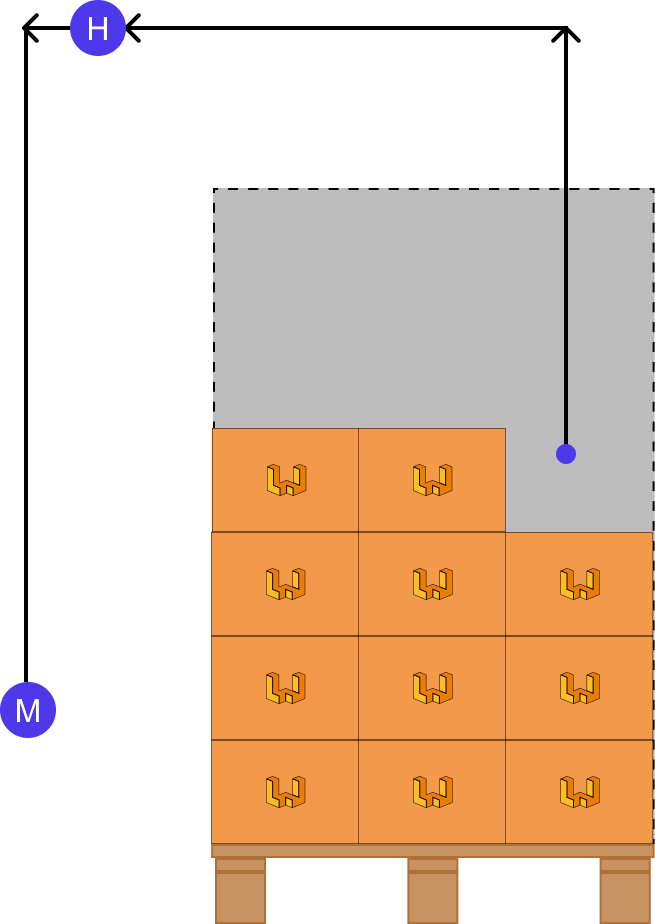
Maintenance (X,Y,Z,R)
Coordinates of the maintenance position, where the robot is placed for gripper maintenance tasks.
For more information, see the coordinate acquisition section of this manual.
#
Lifter column integration
Only available for collaborative robots
#
Has lifter
Checkbox to enable the lifter column (auxiliary axis). Only available for collaborative robots.
Once the lifter is enabled in the Robot Preset, the following fields will appear:
#
Robot Preset
- Max Lift Z
- Home Lift Z
- Maintenance Lift Z
#
Pick Station Preset
- Lift Z
- Inverted Lift Z
#
Pallet Station Preset
- Lift Z
#
Interlayer Station Preset
- Lift Z
- Pack Lift Z
Failure to enter correct values may result in improper system operation or collisions.
#
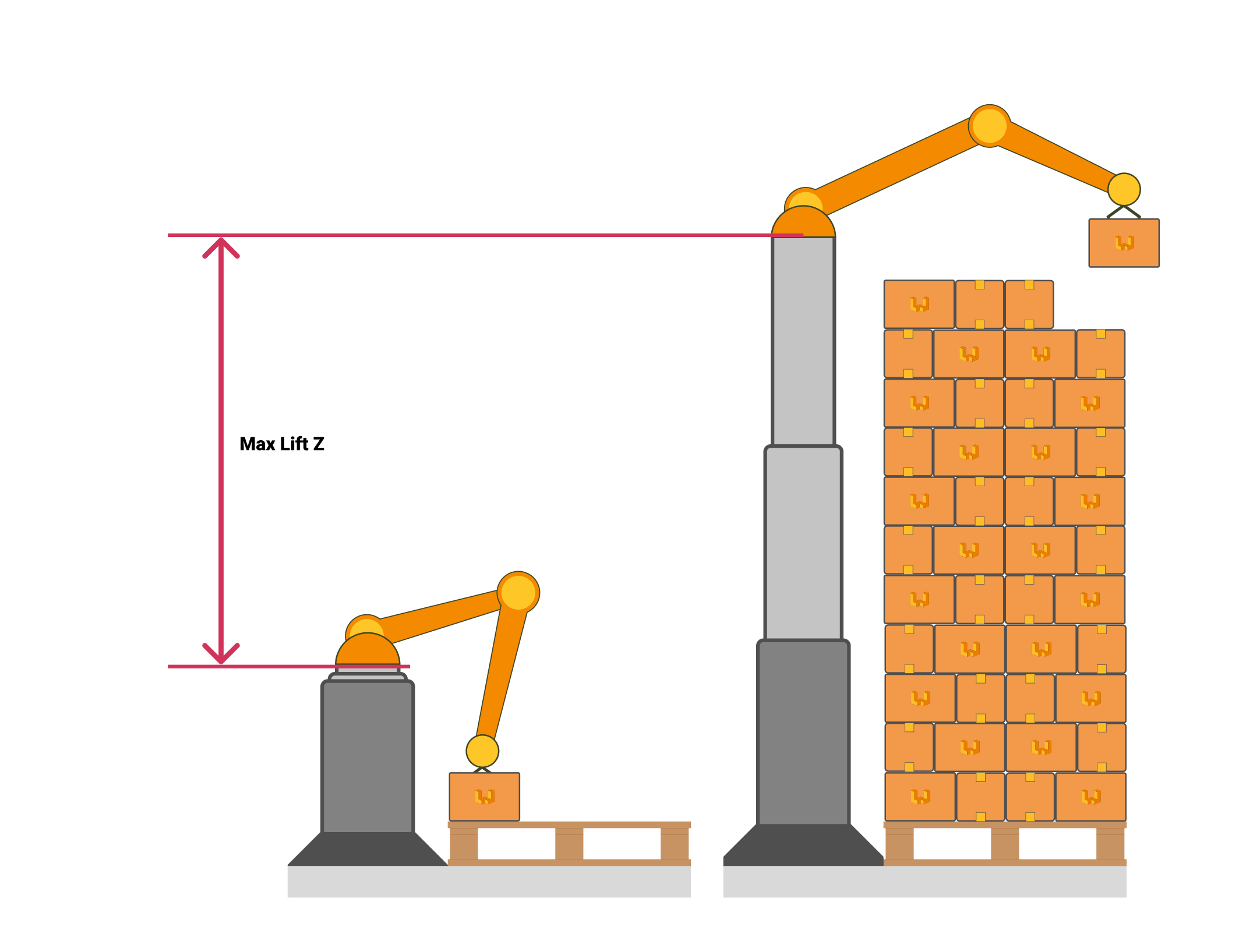
Max Lift Z
Maximum travel range of the lifter column, in millimeters. Only for collaborative robots.
#
Home Lift Z
Lifter column position associated with the Home coordinates of the Robot Preset, in millimeters. Only for collaborative robots.
#
Maintenance Lift Z
Lifter column position associated with the Maintenance coordinates of the Robot Preset, in millimeters. Only for collaborative robots.
#
Lifter
Type of lifter column control: either directly by the PLC (via communication channel) or directly by the robot (supported brands only).
For more information, see the PLC–Robot interaction section of this manual.