

#
Product groups
#
Group products
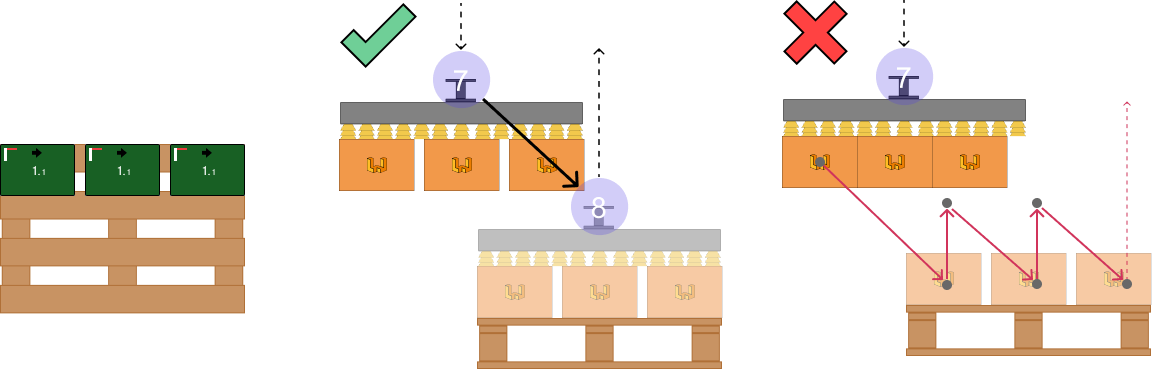
This command allows grouping multiple products so that they accumulate at the pickup, are grasped by the gripper at the same time, and placed on the pallet in a single movement.

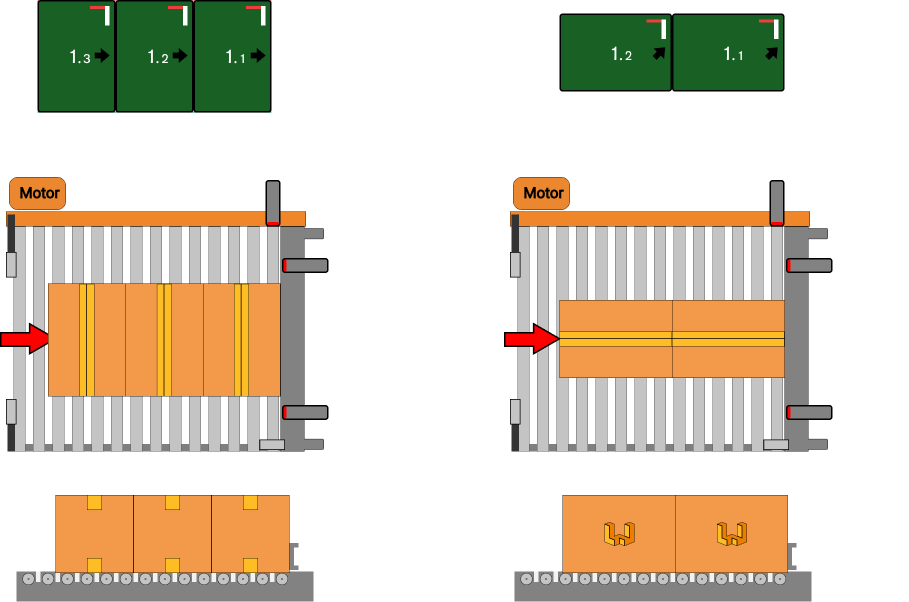
Created groups can be handled and moved in the same way as individual products.
Increase your productivity 🥇
This feature allows increasing productivity and extending system lifespan by minimizing the number of movements performed by the robot.
However, it also has drawbacks, since increasing the number of units picked increases the weight to be moved and therefore the inertia of the assembly.
It is also essential to verify that the robot is capable of moving the load over the required distance and that the gripper can safely grasp the products, preventing them from being thrown during high-speed movements.
As a general recommendation, and assuming an optimal product (compact, uniform load and weight distribution, etc.), the gripper should grasp at least 2/3 of the product, with at most 1/3 protruding. These guidelines are indicative; always verify the technical specifications of the product, the gripper, and the robot.
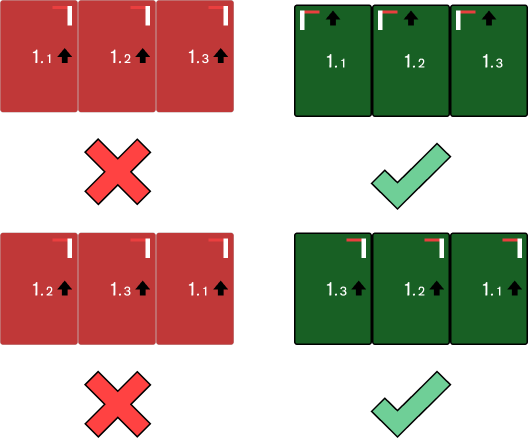
The order of the elements to be grouped must correspond to the pickup entry order of the products, with the Stopper mark located at the end of the product that enters the pickup first.
#
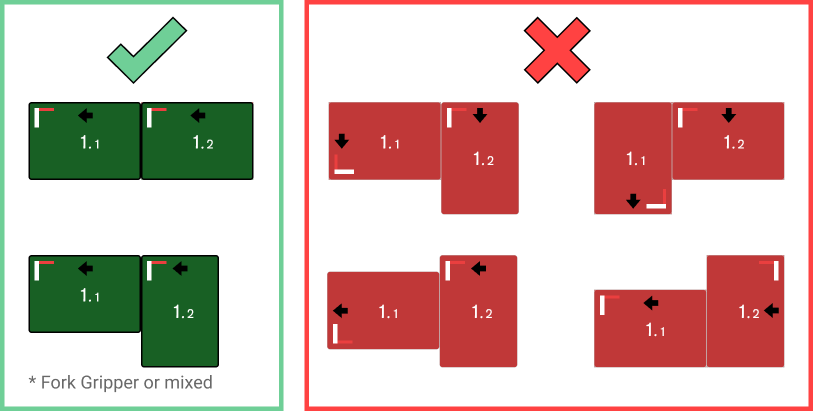
Correct and incorrect groups
Below are correct and incorrect situations to better understand how grouping works.
#
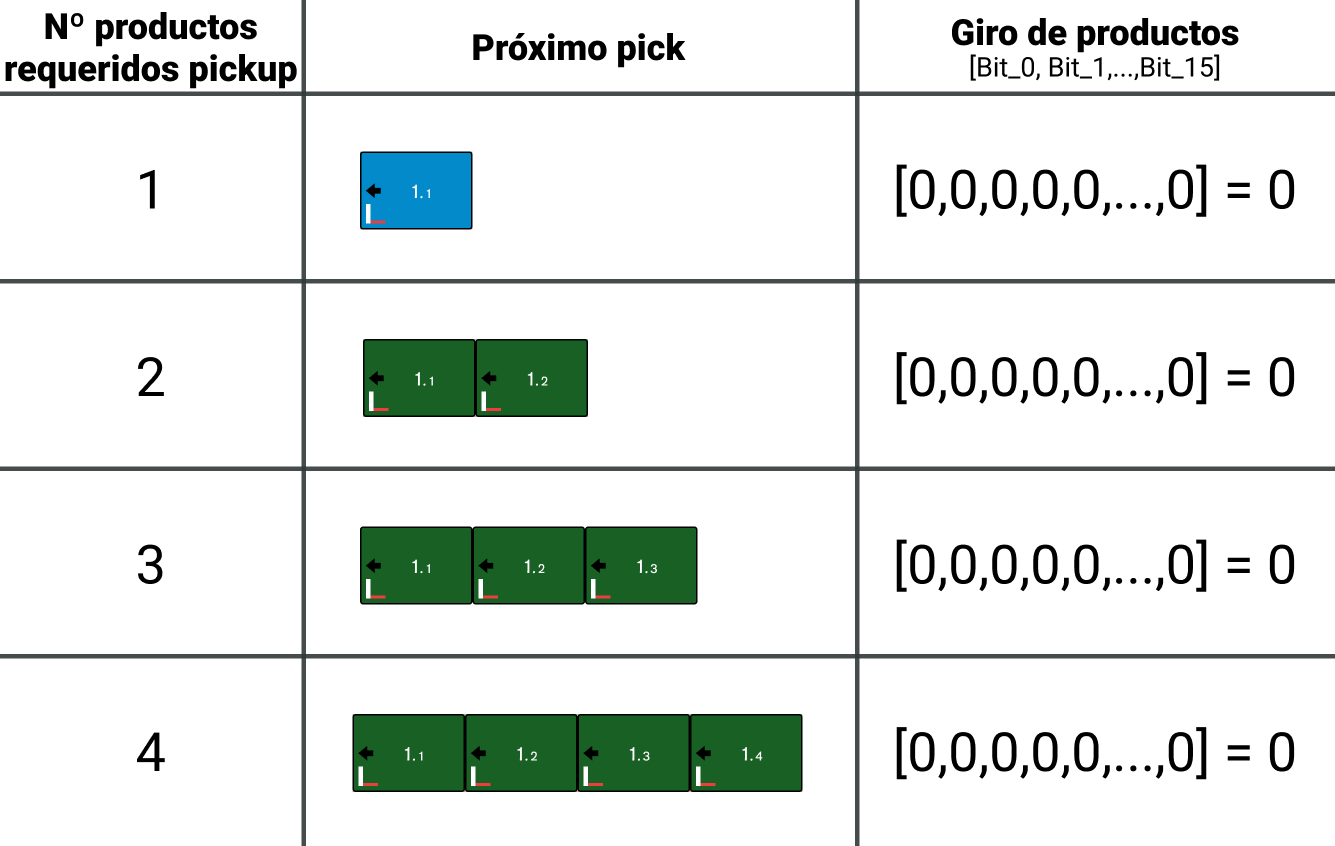
Required product count signals (Robot -> PLC)
Different cases to understand how the interaction between products requested by the robot should work and how the PLC should manage product input.
#
Ungroup products
To undo a previously created group, converting it from a multiple pickup to individual pickups.
