#
Pickup management
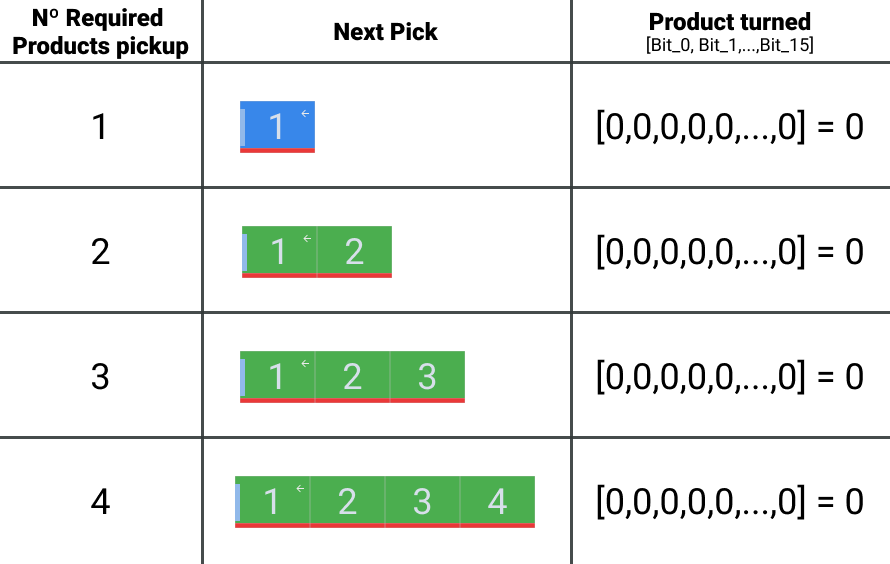
In the communication established between the PLC and the robot, the robot indicates the number of products required in the pickup, as well as the rotation of these products. All this depending on the selected recipe, the current layer and the movement to be performed on that layer.
Note
For more information on product groupings and rotations, please refer to the mosaic design manual.
#
Pickup product count
The PLC internal counter monitors the number of products that have entered the pickup. This value should manage the following situations:
Value less than the number of products required. Keeping the product input conveyors active and allowing product to enter the pickup.
Value equal to required products. Disabling the product input transports to the pickup and activating the product OK signal, so that the robot performs the movement sequence.
Value greater than required products. Stopping the incoming product transports in safety conditions and generating an alarm for an excessive number of products in the pickup. This alarm should also be activated, in the case of having sensors that detect the number of products in the pickup, when a discrepancy is detected between the count value and the sensor readings.
Note
The counting clerk system must be reliable, so that the counting, and therefore the operation of the system, is correct.
#
Product Turned
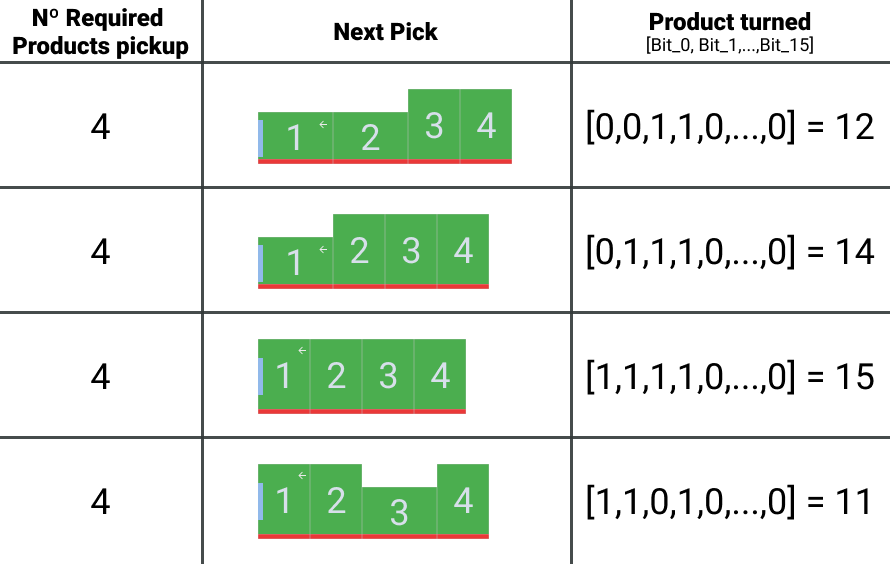
Using the 16-bit Product Turned channel, associated with each pickup, the robot indicates to the PLC the turn of the required products in the pickup. Each individual bit represents the turn indicator for each individual product. Being the bit of smaller weight (bit 0) the first product required in the movement, increasing consecutively, until arriving to the bit of greater weight (bit 15), that represents the product number 16. A value of "False" represents that the product is not turned, and a value of "True" that if it is.
warning Warning
The pickup must have the means to rotate the individual products at its entrance, and this system is controlled by the PLC.
#
Pickup signal management
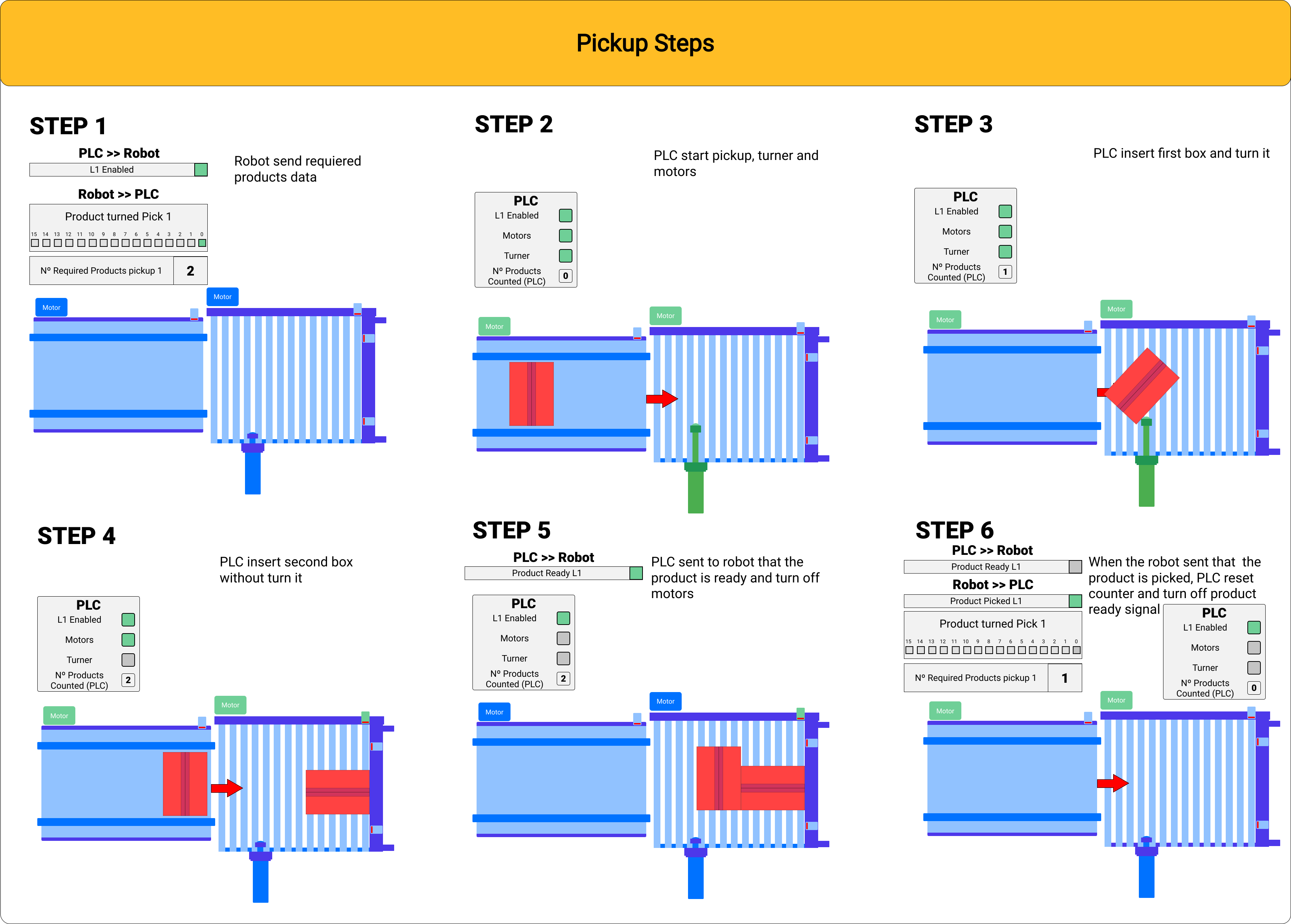
With the information of the required products, the PLC allows the entry of product into the pickup, until the number of products required by the robot is reached. Once this value is reached, and if all safety conditions are met, the PLC activates the Product Ready signal of the associated pickup for the robot to pick up the products. When the robot picks up the products from the pickup, it updates the values of the next movement, and once it moves to the safe point, it sends a Product Picked signal pulse. With this pulse, the PLC deactivates the Product Ready signal, resets the pickup counters, and allows the entry of new products for the next robot sequence.
warning Warning Warning
For more information, see the section dedicated to the sequences of the robot claws, and the explanatory manual of the mapping signals.
#
End of production
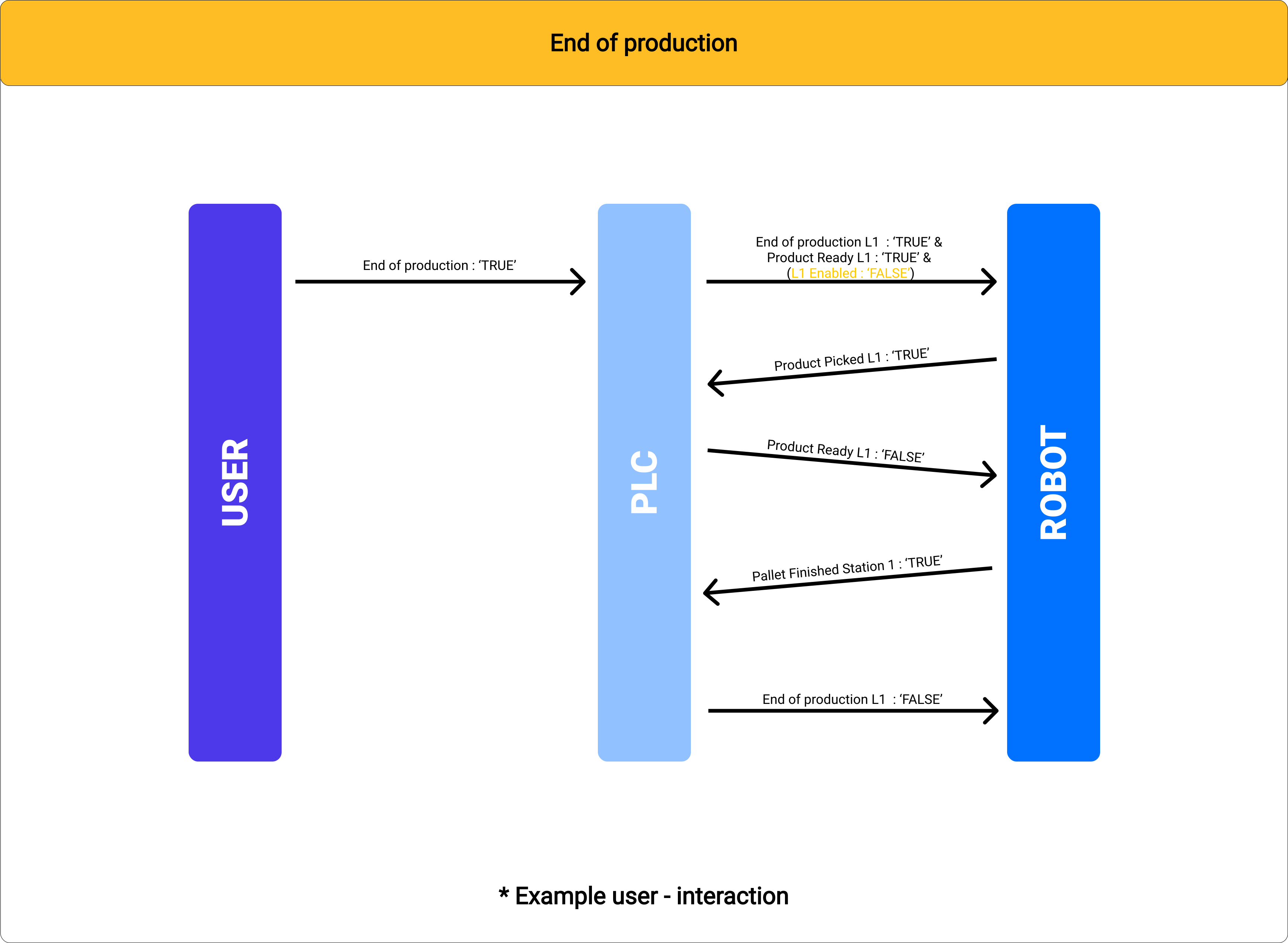
The purpose of the end of production function is that the user can force the robot to take the products that are in the pickup, even if the quantity of products is not less than the number of required products, and that once the movement is finished, the pallet is terminated. For this, the operator or the PLC must activate the Product Ready and End of production signals simultaneously, when the robot is waiting for the required products. Once the robot positions the products on the pallet, it will emit the Pallet finished signal to indicate that the pallet is finished. At this moment, the PLC deactivates the End of production signal.