

#
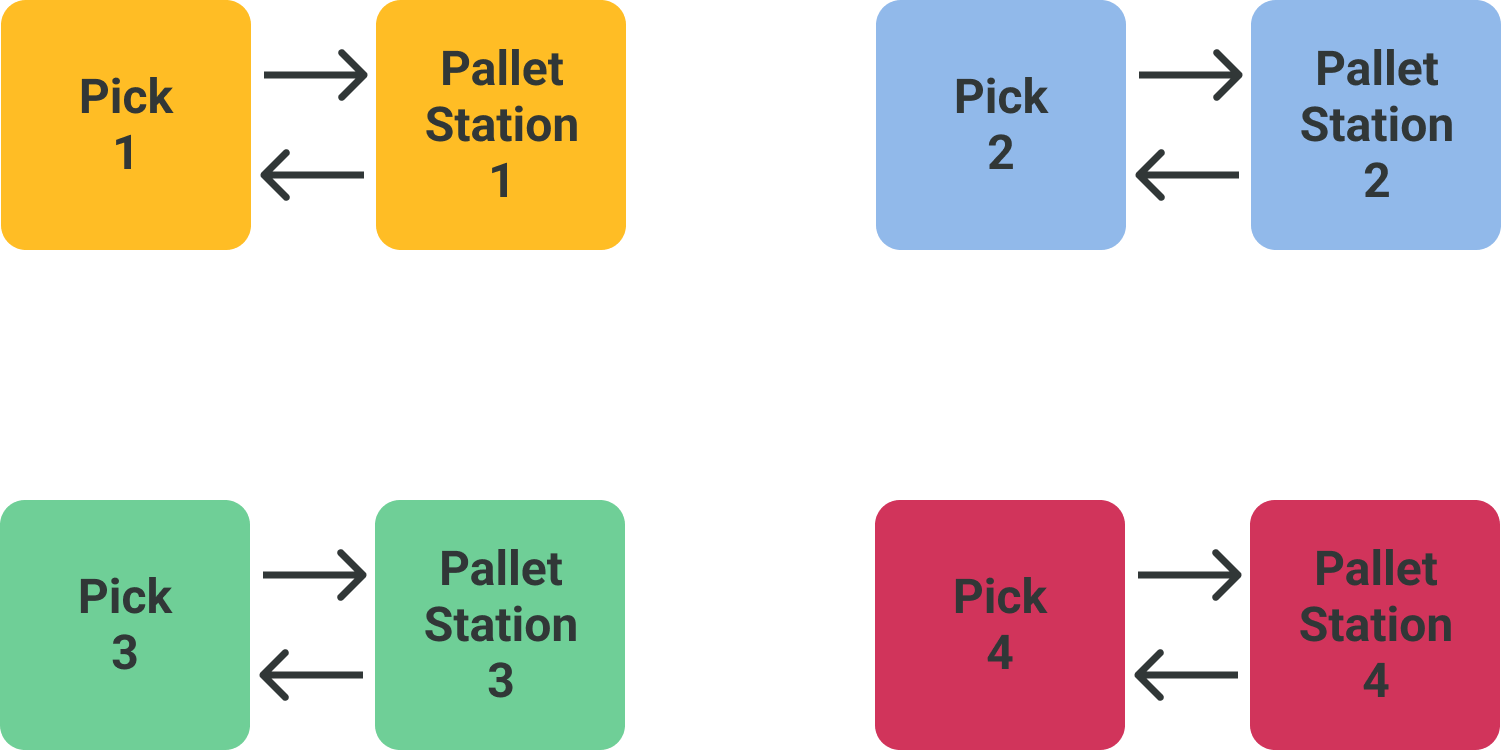
Groups Pick Station - Pallet Station
#
Group Pick station
#
Inputs
#
Line enabled
This signal indicates to the robot that the line is enabled, and therefore the associated pickup.
#
Product ready
Signal sent by the PLC to the robot, indicating that the required products are available in the pickup to be picked by the robot. It allows the robot to generate the motion sequence to pick up the present product. When the PLC generates this signal, it will stop the entry of products into the pickup.
#
End of production
The usefulness of this signal is to indicate that an incomplete pallet is going to be generated, due to the end of production of the product being palletized at that moment or the end of that batch. For this purpose, the robot, when receiving the signal, will take the products present in the pickup, even if it is not the required quantity, and once placed on the pallet, it will generate the complete pallet signal.
#
Outputs
#
Product picked
Signal from the robot indicating to the PLC that it has picked the products present in the pickup. This signal will be used to reset the product OK signal and the number of products counted.
#
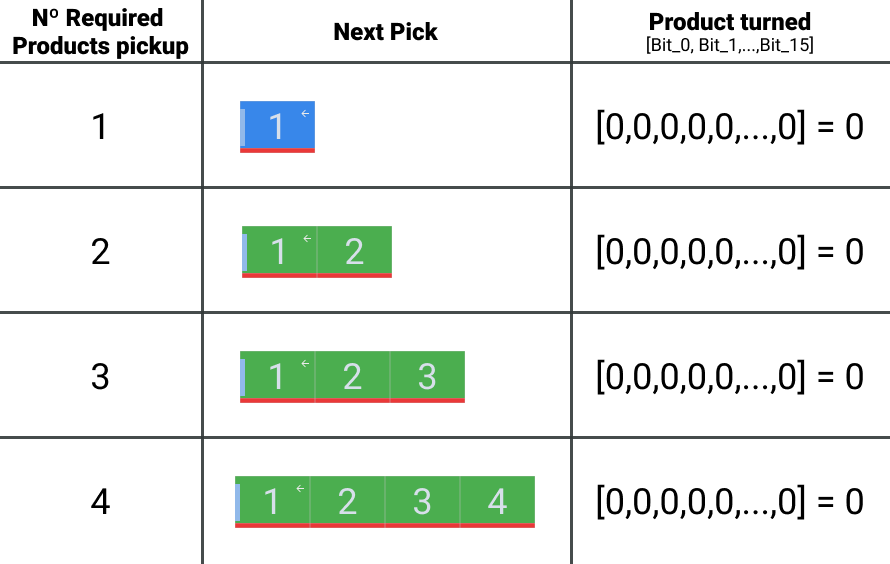
Nº Required products pickup
Numerical value indicating to the robot the number of products required in the pickup for the next movement. The robot will update this value when initiating a palletizing sequence, when generating the picked product signal or when the operator manually indicates a point in the palletizing sequence.
#
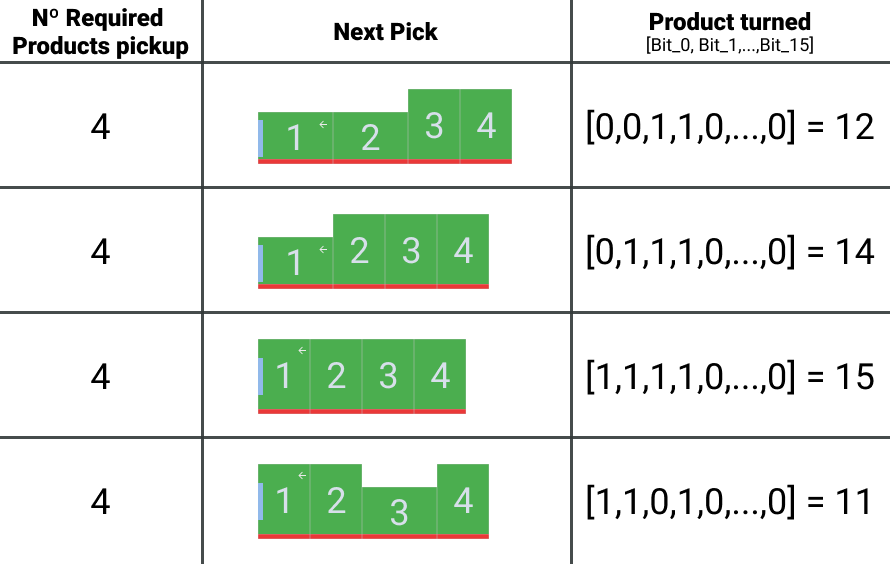
Product turner pick
Signal sent by the robot, indicating the orientation of the product entering the pickup. It is used by the PLC to activate/deactivate the turning system. Each bit corresponds to each of the products to be rotated, with the order of product input corresponding to the bits from the lowest to the highest weight.
#
Pallet Station Group
#
Inputs
#
Pallet ready station PLC
Signal sent by the PLC indicating to the robot that a pallet is available at the palletizing station.
#
Pallet station Area Free
Free area signal from the PLC. The robot will not be able to enter the area until the area is free.
#
Clear interference
Signal for clearing internal data from the robot's memory, associated with each of the palletizing zones.
#
Force Counters Station
Signal to apply layer and robot changes made by the user. It will remain active as long as the updated values signal (Updated Counters Station, OUT 248-488) is not received.
#
Force Layer Station user
Manually inserted value of the layer to be palletized.
#
Force Pick User Station
Value manually inserted by the user of the next product to be deposited.
#
Outputs
#
Pallet Req
Signal that the selected recipe requires the robot to position the pallet on the palletizing station, and it has not yet done so.
#
Interlayer Req
Signal that the selected recipe requires the robot to position the interlayer separator in the palletizing station and has not yet done so.
#
Product placed
Signal emitted by the robot indicating that it has positioned the product on the pallet.
#
Last Layer Movement
Signal that the movement to be performed in the selected recipe is the last one of the mosaic layer.
#
Last Pallet Movement
Signal that the movement to be performed in the selected recipe is the last one of the mosaic and the pallet.
#
Pallet Finished station
When a pallet is finished, either complete or incomplete, the robot will send this signal indicating that the cycle is finished and that it is waiting for a new pallet at the station.
#
Interference Cleared
Confirmation that you have cleared the data linked to the interference areas of each of the palletizing zones as instructed by the PLC with the Clear interference signals.
#
Data Loaded Station
Signal indicating that the PLC has updated the layer, pick and counted product values, as indicated in the Update Counters Station signal.
#
Current Layer Station robot
Value indicated by the robot of the layer to be palletized.
#
Current Pick Robot Station
Value indicated by the robot of the next product to be deposited.