
#
Advanced options
#
Bag Offset height adjustment of bags on pallet
Due to the problems involved in the correct positioning of the bags on a pallet, caused by the variation of the physical and morphological properties of the product contained inside the bag, throughout the working day.
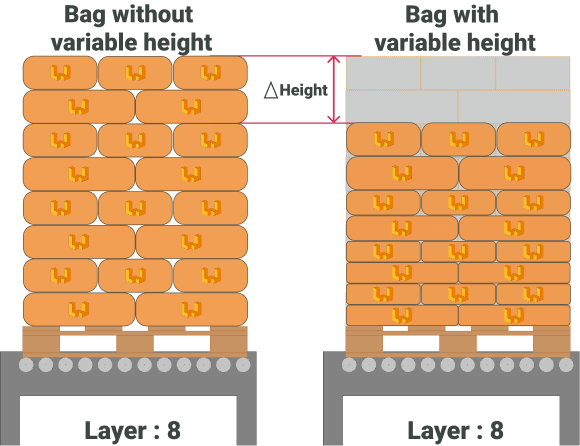
From the Wepall team, we have enabled a communication channel between the PLC and the robot, which will allow the user to adjust the height from which the bag will be released in each execution cycle.
warning Warning
This option is only available in the bag gripper.
In case of transmitting a value of zero, it is considered that there is no compaction in the product and therefore with a constant product height. If the product is compacted, there is a difference in height between the current layer and the predicted layer, which will increase cumulatively in successive layers.
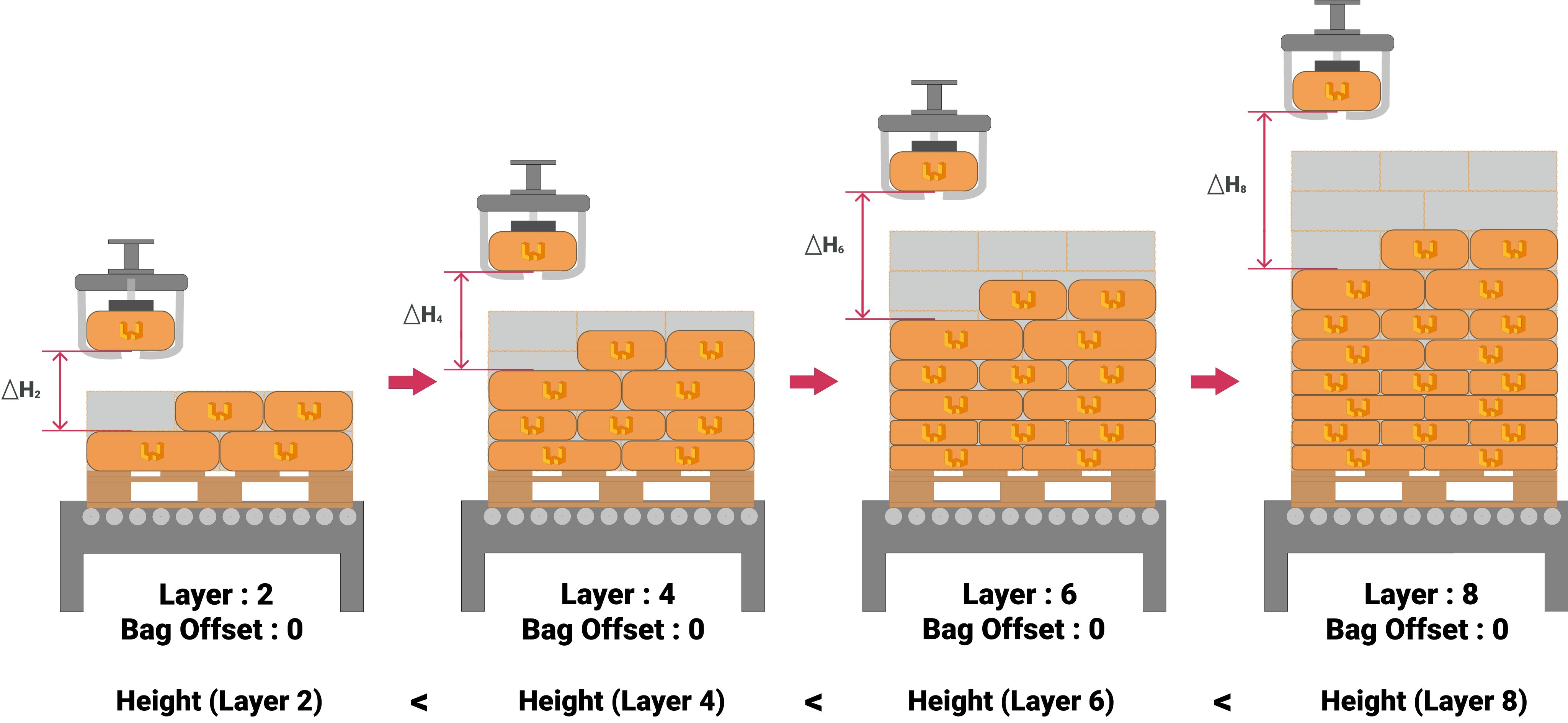
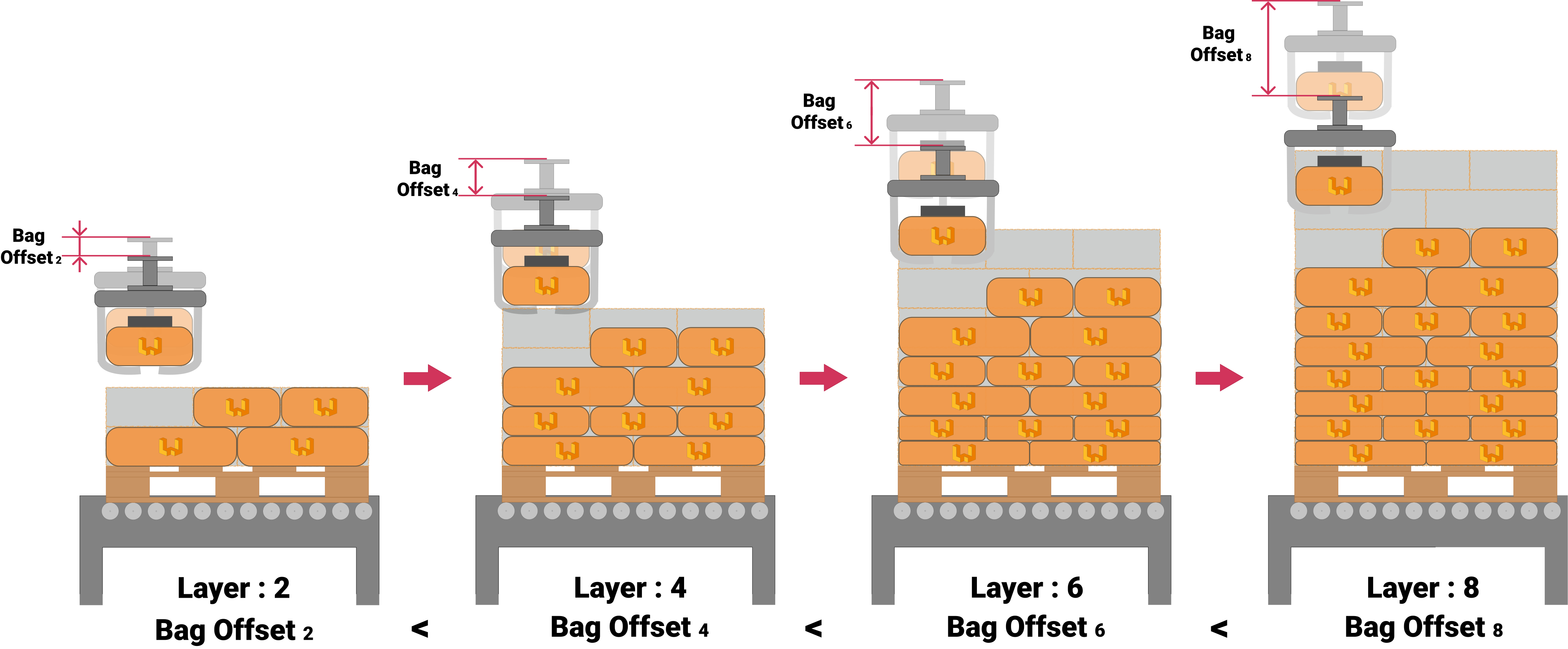
Once the Bag offset value is set for each movement and layer, the cycle time and bag release height on the pallet can be adjusted.
warning Warning
The Bag Offset value sent from the PLC to the robot must be a positive value, and the resulting positions must be within the robot's range volume.
warning Warning
The Bag Offset value is independent of the Pallet Height value. See the corresponding section of this manual.
#
Servo Gripper Control
warning Warning
The proposed solution is of a general nature, it must be validated by the programmer according to the technical characteristics of your installation.
The management of grippers that integrate a Servo, or any system of similar behavior, must be controlled by a PLC.
Through the communication channel established between the PLC and the robot, the robot will indicate whether the products must be rotated or not in each movement, as well as the dimensions of the product of the selected recipe.
The dimensions indicated on the wide side correspond to the side of the product that comes into contact with the stopper under normal conditions, i.e. without being rotated by the action of any electromechanical element controlled by the PLC.
Depending on its morphology, it will condition its behavior. Two different modes of behavior can be contemplated depending on the type of gripper selected. Being:
- Asynchronous/synchronous gripper.
- Fork gripper.
Under normal conditions, the behavior is very similar.
If none of the products are rotated, the servo distance will be indicated by the Width of the product.
If all products are rotated, the servo distance will be indicated by the length of the product.
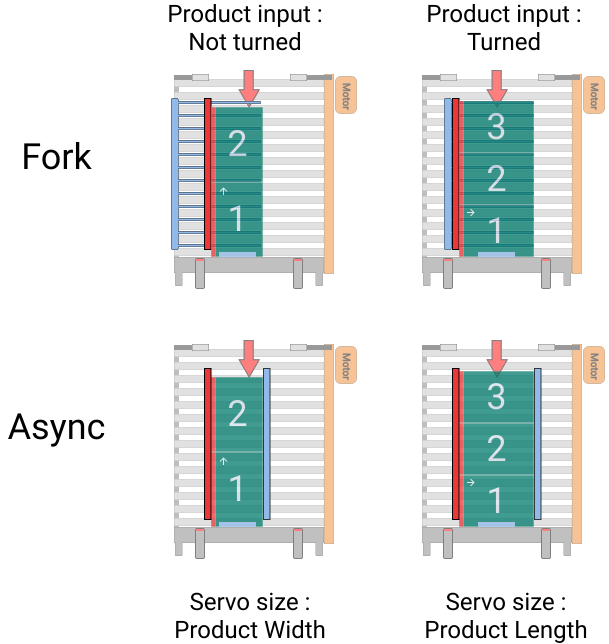
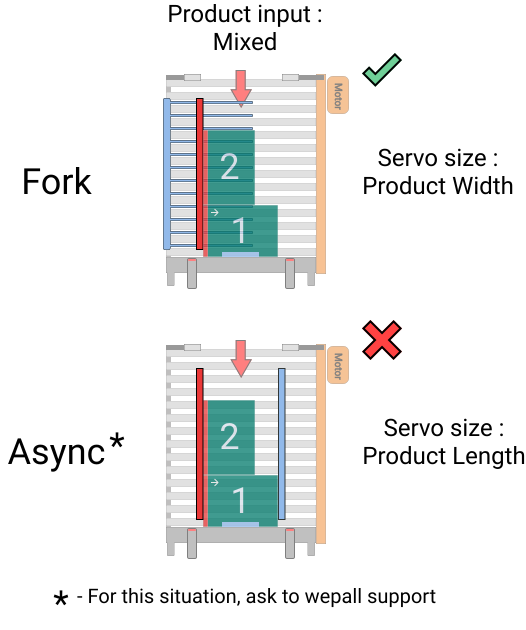
The main difference is seen in the case of a grouping of products in which rotated and non-rotated elements are combined.
In the fork gripper, the servo will take the value of the product width.
In the asynchronous/synchronous gripper, the servo will take the value of the length (Lenght) of the product.
warning Warning
In the case of a product grouping in which rotating and non-rotating elements are combined, the asynchronous/synchronous grapple must be equipped with multiple drives controlling independent movable blades.
#
Pallet height measurement process
For the pallet height measurement process, static or dynamic means may be used. Static measurements are taken when the pallet is stationary and in a timely manner. In the case of dynamic measurements, they are taken continuously as the pallet moves forward. The values obtained during the sweep must be processed by the PLC to obtain a valid height value.
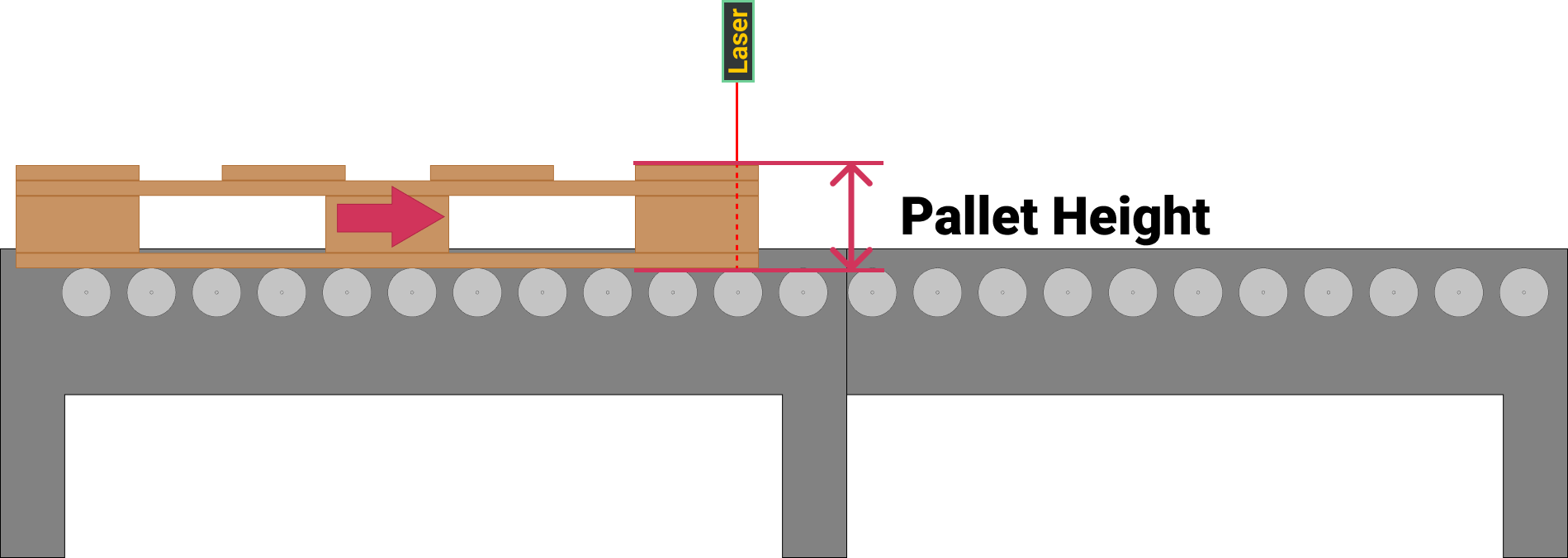
In both cases, aspects that may cause erroneous measurements, such as the following, will be taken into consideration:
- Gaps in the pallet.
- Damaged sections in the pallet.
- Differences in height between the sides of the pallet.
warning Warning
In case of detecting an abnormal measurement, which exceeds the safety margins defined by the programmer, the pallet should be discarded for safety reasons.
#
Pallet Height in palletizing sequence.
The Pallet Height value must be sent by the PLC in each execution cycle for the selected recipe. In case the PLC execution cycle alternates between 2 or more recipes, the pallet height value of the corresponding station must be changed. The activation of this functionality, supposes an alteration in the sequence of behavior of the robot. There are 2 possible situations, in the case of a bag gripper, or in the rest of the cases.
#
Asynchronous/synchronous/fork/vacuum gripper
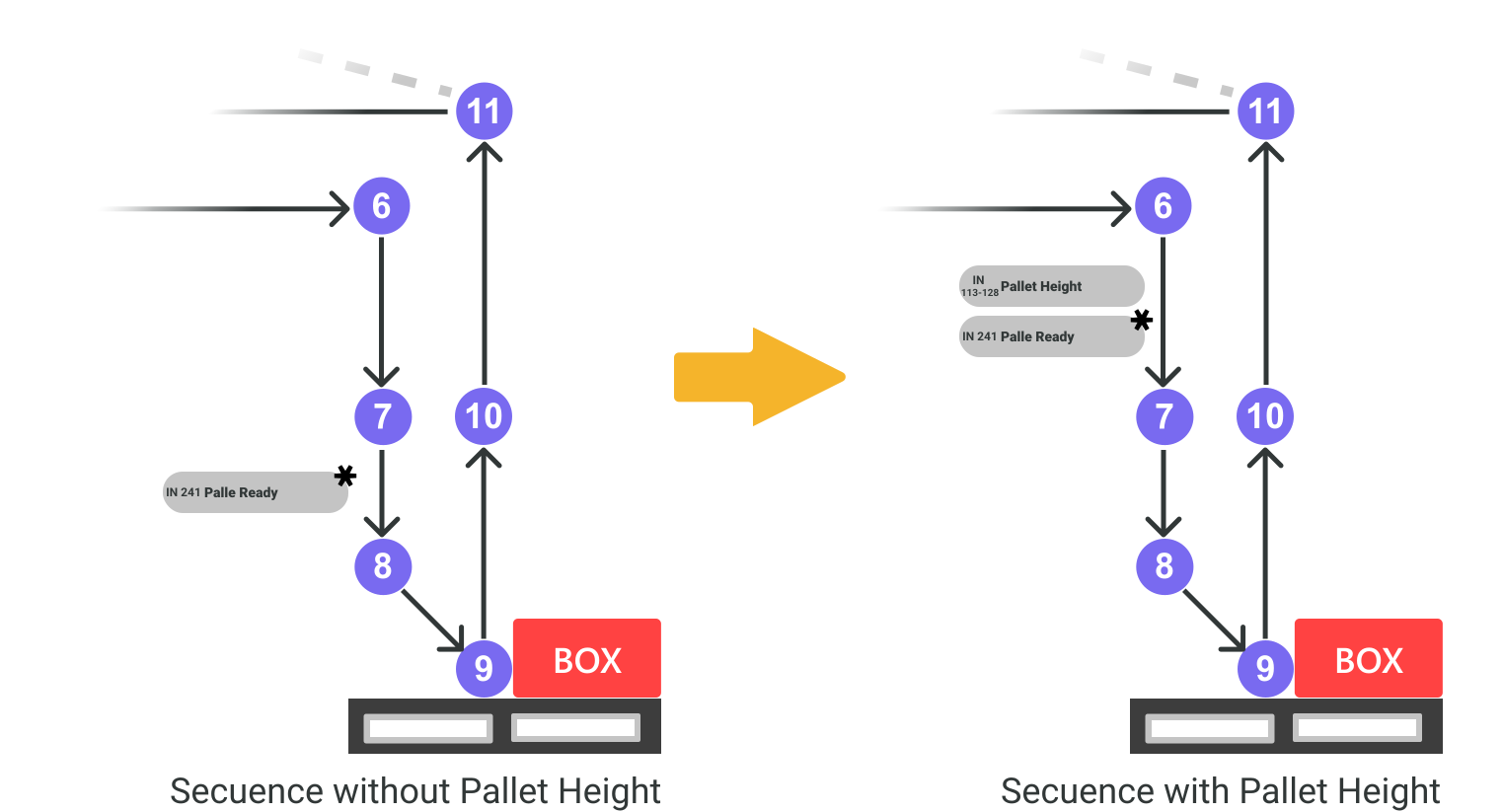
In this case the pallet presence check at the palletizing station (Pallet Ready), changes from being performed in the step from point 7 to 8, to be performed in the step from 6 to 7. Prior to the confirmation of the pallet presence, the PLC will be sending the pallet height value through the corresponding communication channel.
#
Bag gripper
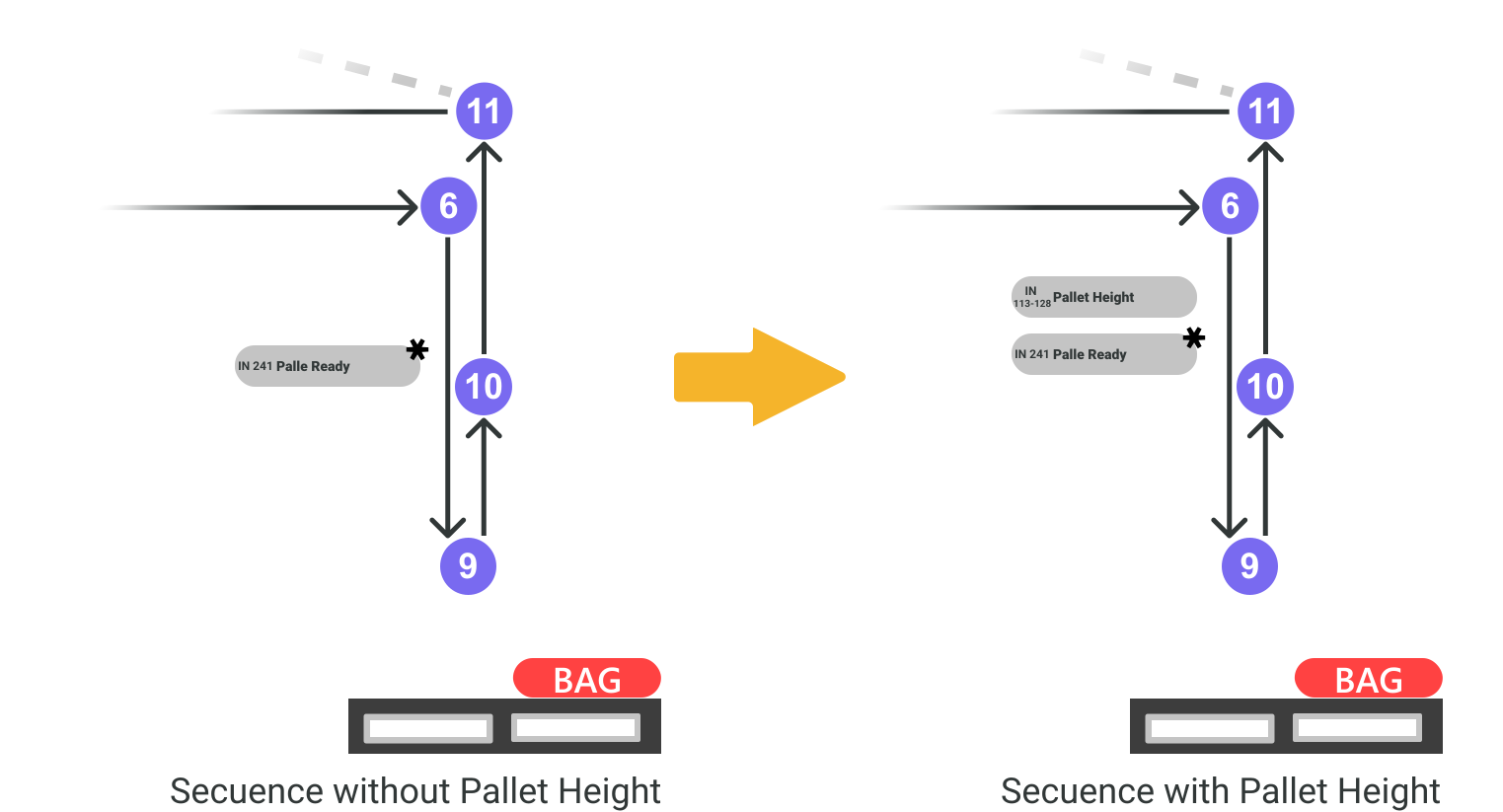
In this case, the pallet presence check at the palletizing station (Pallet Ready) is performed in the same position, at the transition from point 6 to 7. With the exception that, prior to the confirmation of the pallet presence, the PLC will be sending the pallet height value through the corresponding communication channel.
warning Warning
The Pallet Height value is independent of the Bag Offset value. See the corresponding section of this manual.
#
Lifting column
A lifting column is an electromechanical element that allows the robot to be lifted, extending the useful range and reach of the robot. It can be considered as an external axis that extends the Z-range of the robot. This option is only available for collaborative robots.
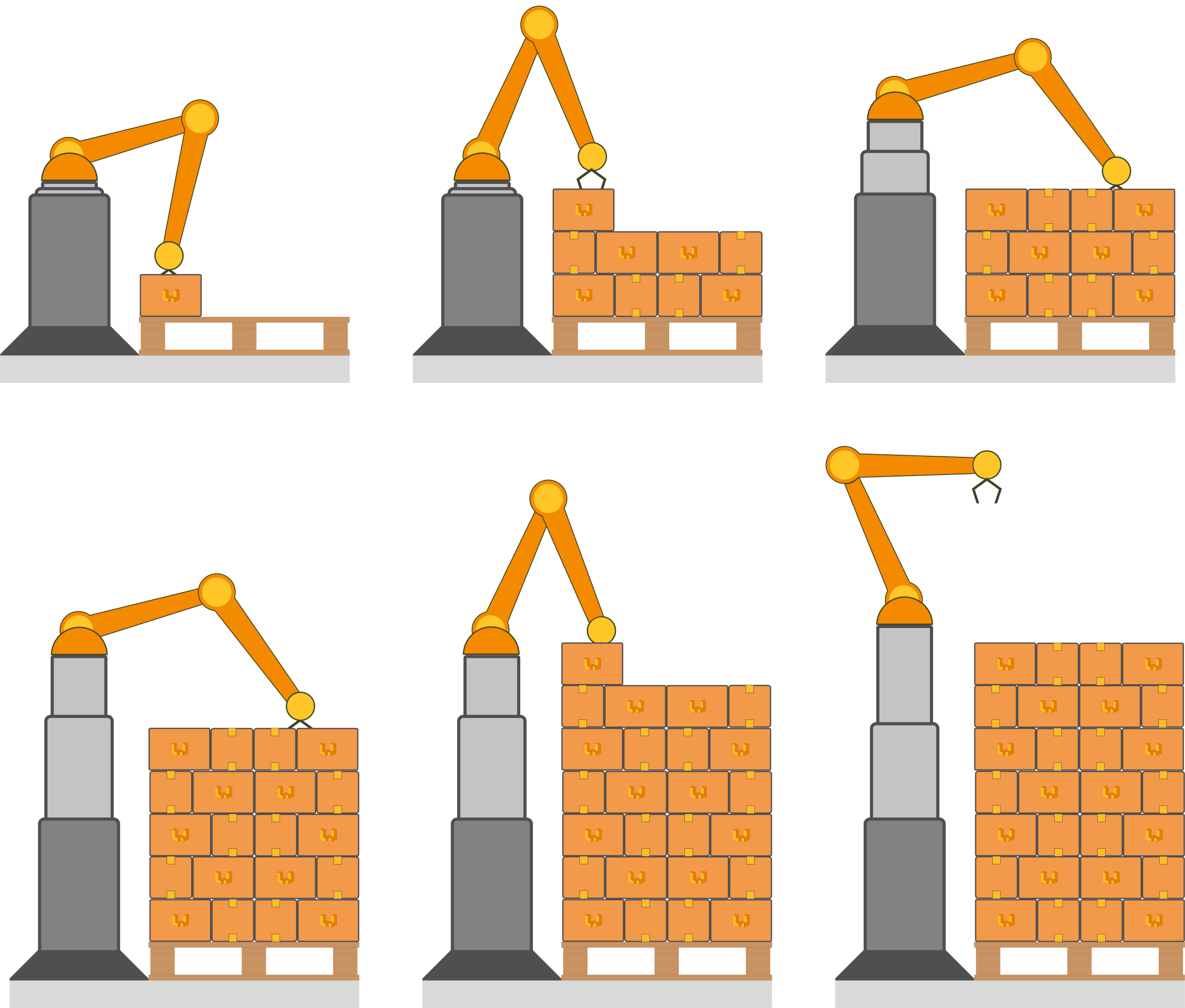
The inclusion of this additional axis requires a precise kinematic calculation of both the position of the column and the axial compartment of the robot. Therefore, this feature is limited to specific brands and robots.
For further information, please contact Wepall's technical department.
#
Direct robot control
In this case the robot has a direct communication channel with the lifting column so that it can manipulate its position without the intervention of any external control element, such as a PLC.
warning Warning
This feature is only available in some specific brands of robot and lifting column.
For more information, please contact Wepall's technical department.
#
PLC control
The PLC control requires a communication channel between the PLC and the robot, and also a communication channel between the PLC and the lifting column.
The behaviour of this system requires that a position of the lift is indicated by the robot via a communication channel to the PLC [Measure Lift Column], and the indication by a bit that it is necessary to move to the desired position [Move to Measure].
Once the PLC receives confirmation that the lifting column has reached the position, it will indicate to the robot that the opposition has been reached by means of a bit [Measure Reached]. And the robot will continue its movement sequence.
warning Warning
The values transmitted to the PLC correspond to absolute values considering the lowest position of the column as zero.
In case the behavior of the lifting column requires some kind of mathematical conversion, it must be performed internally by the PLC.
#
Design constraints
Due to the kinematic behaviour of the column, the robot in the most unfavourable position must be able to reach both the pick-up coordinate and the packing position on the pallet.
warning Warning
In case the pick-up position and the height to be palletised are not possible with the same column position, require 2 different values of the lifting column position, 1 for the pick-up position and 1 for the lowering position.
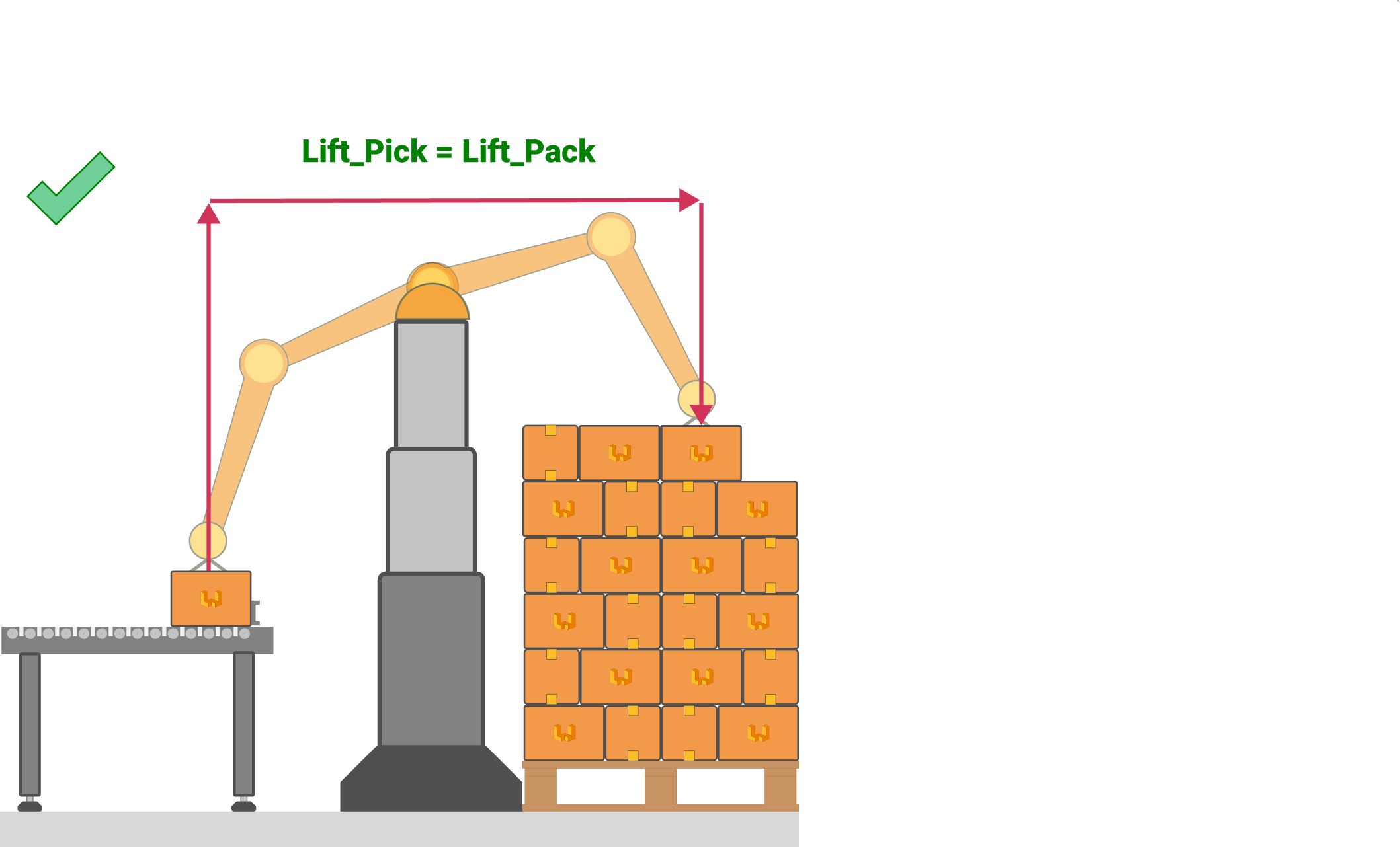
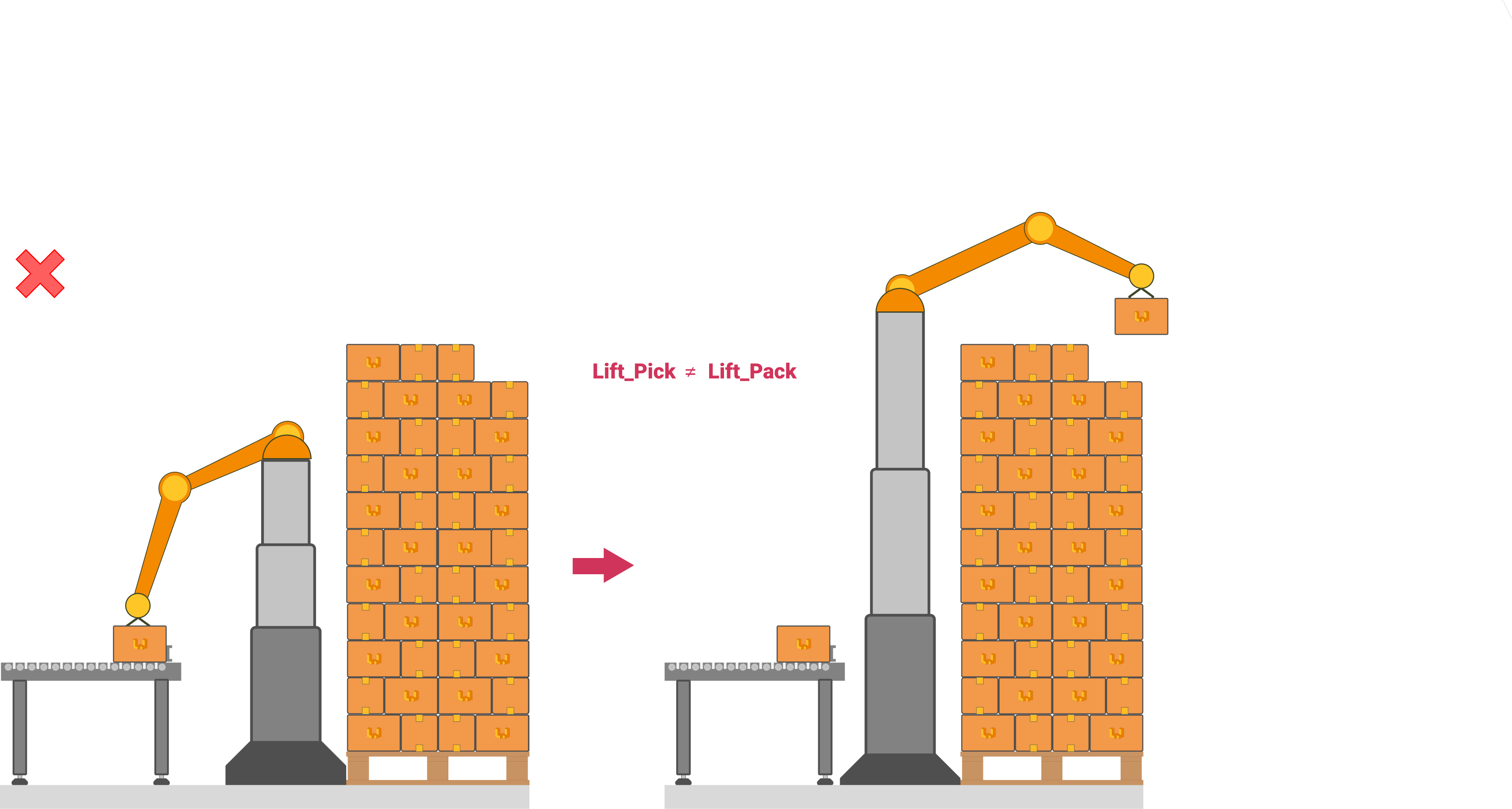
For more information, please contact Wepall's technical department.
#
Lift coordinates
Once the lifting column has been enabled, the corresponding sections will be enabled.
The fields are associated with different coordinates entered by the user. The position of the column must be indicated for the associated coordinates.
warning Warning
The NOT inclusion of the correct values may result in an error in the kinematic calculation and therefore in the malfunctioning of the installation or collisions.
The fields associated with the kinematics of the lift are the following:
#
Robot Preset
- Max Lift Z
- Home Lift Z
- Maintenance Lift Z
#
Pick Station Preset
- Lift Z
- Inverted Lift Z
#
Pallet Station Preset
- Lift Z
#
Interlayer Station Preset
- Lift Z
- Pack Lift Z